Apps on Omnix · 30 apps tested

Apps on Omnix.

Browse Linux apps and their Omnix compatibility status. Open Details for installation, tested workflows and evidence. Unknown apps await testing.

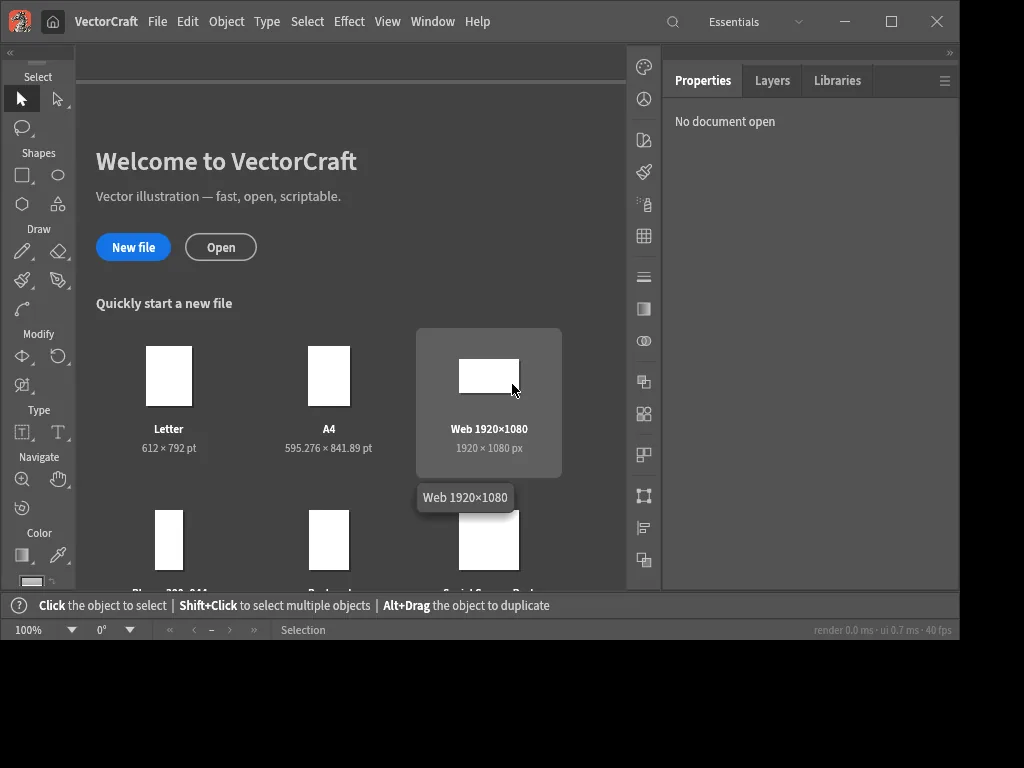
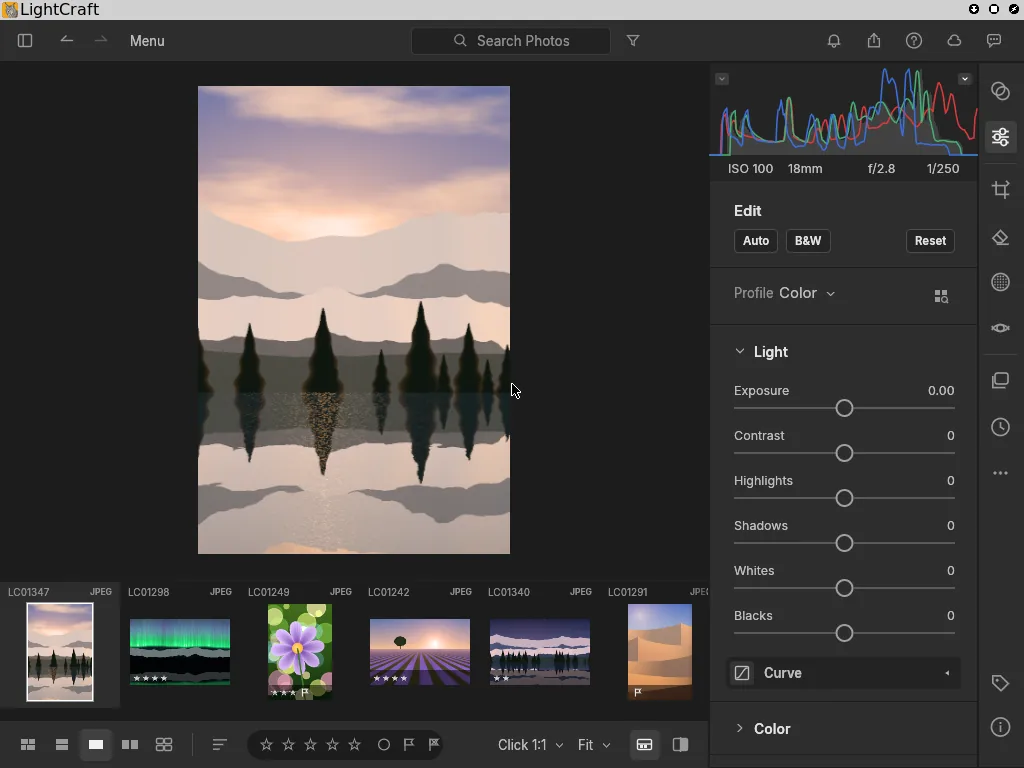
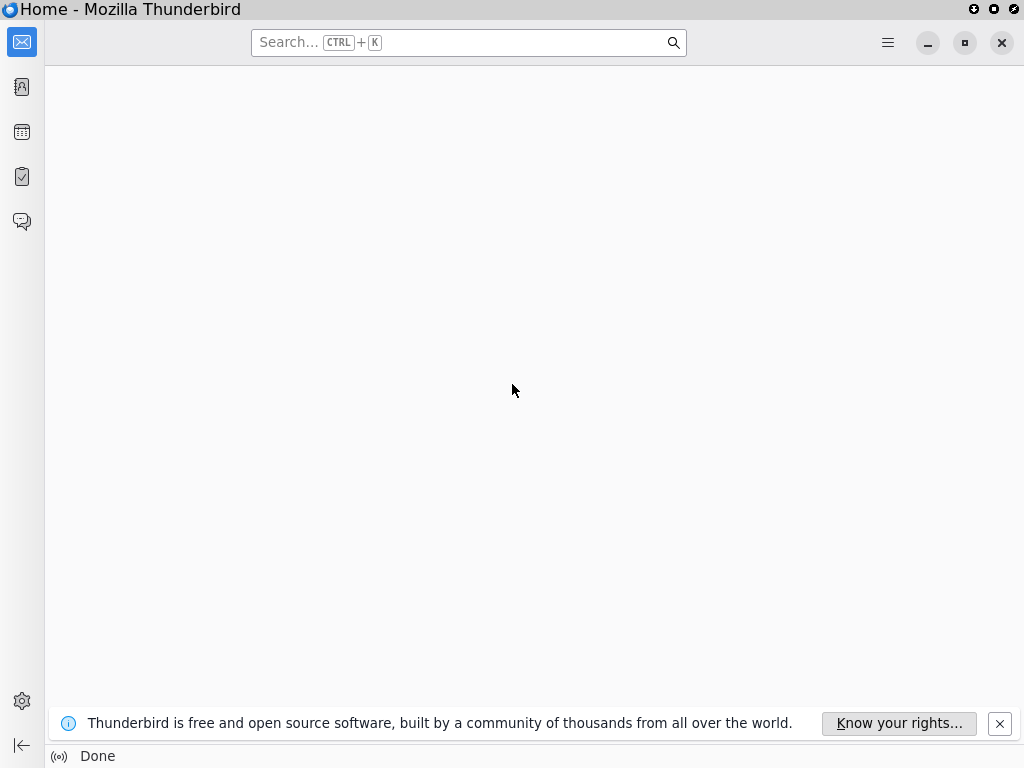
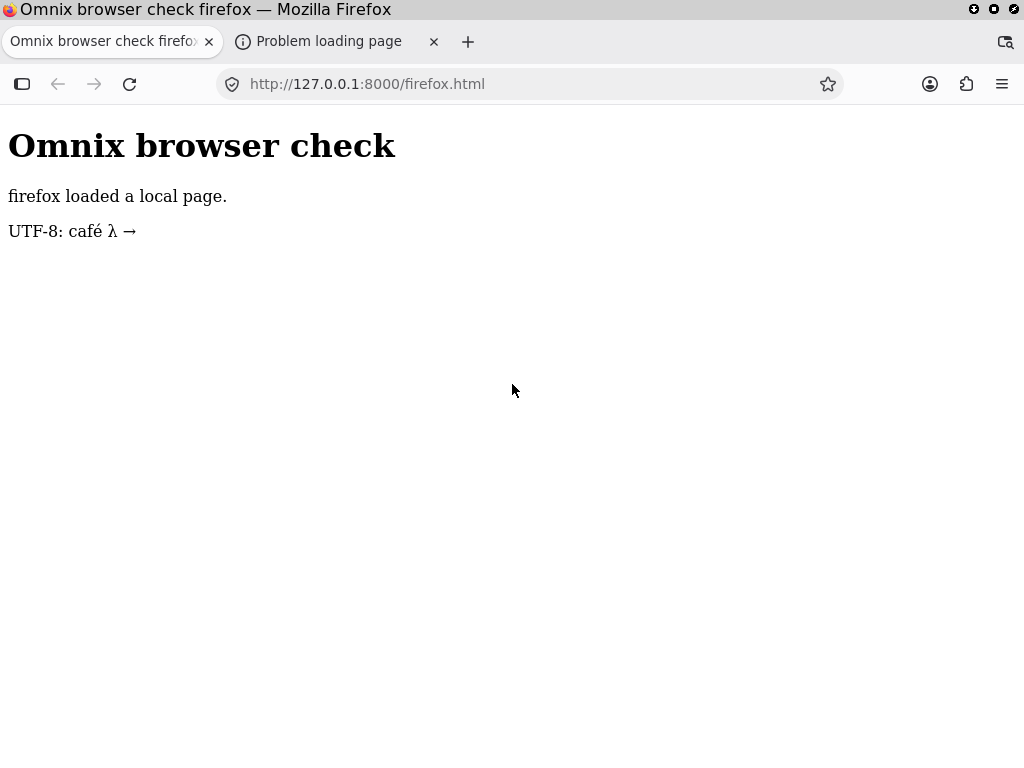
Hover, focus or tap an app’s status to open Details. Test run images inside show its recorded automated validation; hover or focus an image to preview it, or tap to keep it open.

Registry: apps/registry.jsonStatus: Passing Patched Known gap Failing Unknown

Browse apps by category

Section 01

Video

Video editing, recording, streaming, motion graphics and visual effects. 4 apps · 3 passing · 1 patched

FilmCraft 0.2.0

Video editor

Passing

ArtCraft's native Rust video editor, run from its unmodified GitHub release.

PassingTested x86_64-linux
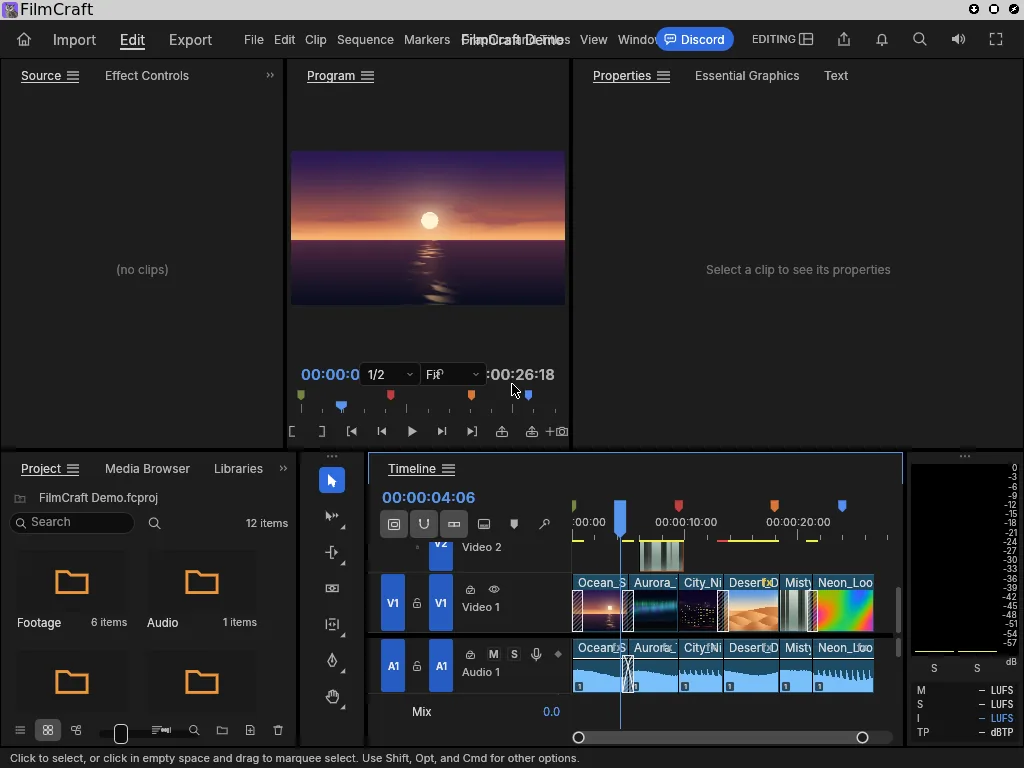
FilmCraft 0.2.0 running during its automated Omnix testTest run ↗
Package source

GitHub release v0.2.0 · SHA-256 checksums · Not attested · Apache-2.0 · Website

Install
Download from GitHub and verify
curl -fsSLO https://github.com/storytold/filmcraft/releases/download/v0.2.0/filmcraft-0.2.0-linux-x86_64.tar.gz
curl -fsSL https://github.com/storytold/filmcraft/releases/download/v0.2.0/SHA256SUMS.txt \
  | grep linux-x86_64.tar.gz | sha256sum -c -
sudo mkdir -p /opt/filmcraft && sudo tar -xzf filmcraft-0.2.0-linux-x86_64.tar.gz -C /opt/filmcraft --strip-components=1
Verified workflow
  1. Fetch filmcraft-0.2.0-linux-x86_64.tar.gz from the GitHub release, pinned to the sha256 in its SHA256SUMS.txt
  2. filmcraft-cli --version and filmcraft --version report 0.2.0
  3. Start FilmCraft in an X11 session through the Omnix FHS layer (no repackaging)
  4. Its main window maps and the app is still running 10 s later
  5. Take a screenshot of the editor
Validation details
Test
Omnix-Linux/Omnix/tests/apps-gui.nixnix build github:Omnix-Linux/Omnix#checks.x86_64-linux.app-filmcraft
Last run
Passing on 2026-10-06Revision: Omnix-Linux/Omnix@3f1ce17Fresh NixOS VM run (nix build .#checks.x86_64-linux.app-filmcraft) on the Omnix base with its desktop library preset; the screenshot above is from this run. Test in Omnix main (Omnix-Linux/Omnix#6).
Test log
must succeed: /opt/filmcraft/bin/filmcraft-cli --version | grep -q 'filmcraft-cli 0.2.0'
must succeed: /opt/filmcraft/bin/filmcraft --version | grep -q 'filmcraft 0.2.0'
window: FilmCraft
must succeed: systemctl is-active filmcraft
test script finished in 28.79s

Automated test run in an Omnix virtual machine. View the recorded screenshot.

OBS Studio 33 (beta)

Recording and streaming

Patched

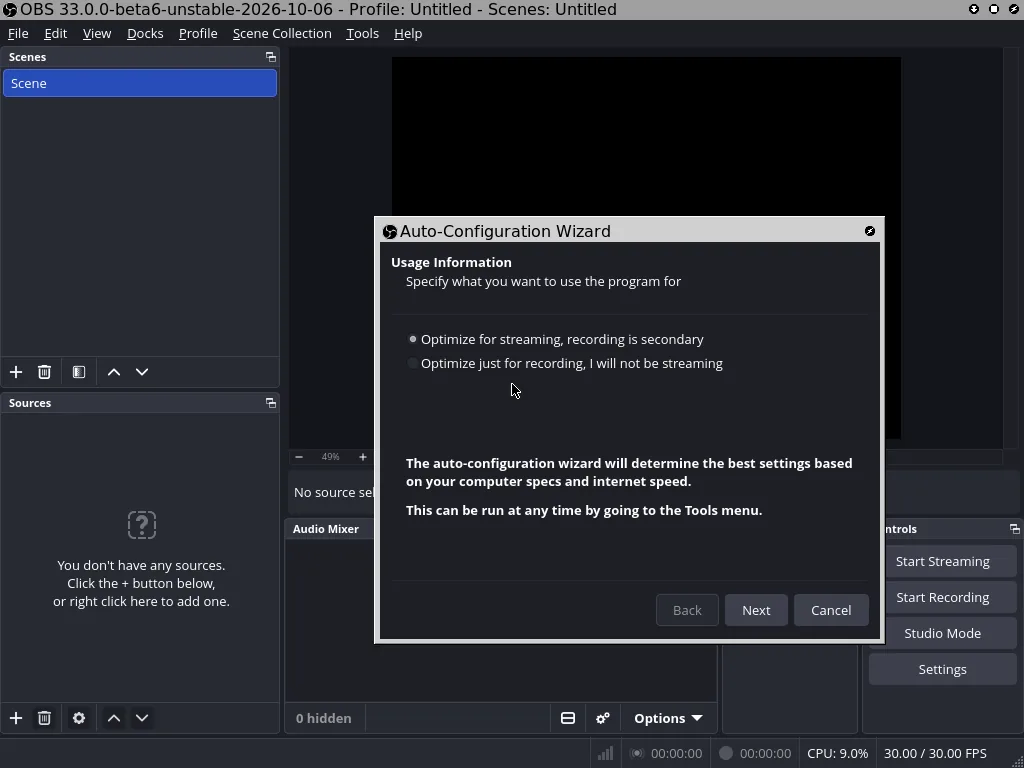
Screen recording and live streaming. Omnix builds OBS from its own fork's master: upstream master plus Omnix's fixes, synced from time to time.

PatchedTested x86_64-linux

OBS Studio 33 (beta) running during its automated Omnix testTest run ↗
Package source

omnix-apps/obs-studio fork · master · GPL-2.0 · Website

Install
Use Omnix's OBS (flake overlay)
# flake.nix: inputs.omnix.url = "github:Omnix-Linux/Omnix";
nixpkgs.overlays = [ omnix.overlays.default ];
programs.obs-studio.enable = true;   # now Omnix's OBS from the fork
Verified workflow
  1. Build OBS from omnix-apps/obs-studio master (cb73236): upstream master plus Omnix's shutdown and core-module-path fixes
  2. obs --version runs
  3. Start OBS in an X11 session; OpenGL loads (Mesa llvmpipe in the VM)
  4. The main window maps and OBS is still running 15 s later; take a screenshot
  5. OBS's output shows every core module loading (x264, FFmpeg, PipeWire, X11 capture, browser, ...)
  6. Quit OBS through the window manager: it must exit with Result=success and leave no core dump
Validation details
Test
Omnix-Linux/Omnix/tests/apps-gui.nixnix build github:Omnix-Linux/Omnix#checks.x86_64-linux.app-obs
Last run
Patched on 2026-10-06Revision: Omnix-Linux/Omnix@cfca01dFresh NixOS VM run of OBS 33.0.0-beta6 built from omnix-apps/obs-studio master (Omnix-Linux/Omnix#8; the fork now lives in the omnix-apps organization, Omnix-Linux/Omnix#9). The fork carries two Omnix fixes: a guard against a freed core on shutdown (proposed upstream as obsproject/obs-studio#13906), and absolute core module paths on Linux, without which OBS 33 loaded no modules when built by Nix. The test requires every core module to load and a clean exit. The shutdown crash was a race, so a clean exit shows the patched build shuts down correctly; it can't prove the race never occurs.
Test log
OBS 33.0.0-beta6-unstable-2026-10-06 (linux)
Loaded Modules: obs-x264.so obs-ffmpeg.so linux-pipewire.so linux-capture.so obs-browser.so obs-websocket.so ... (24)
window: OBS 33.0.0-beta6-unstable-2026-10-06 - Profile: Untitled - Scenes: Untitled
subtest: quits cleanly
obs unit result: success
test script finished in 39.11s

Automated test run in an Omnix virtual machine. View the recorded screenshot.
OpenCut 0.3.0

Video editor

Passing

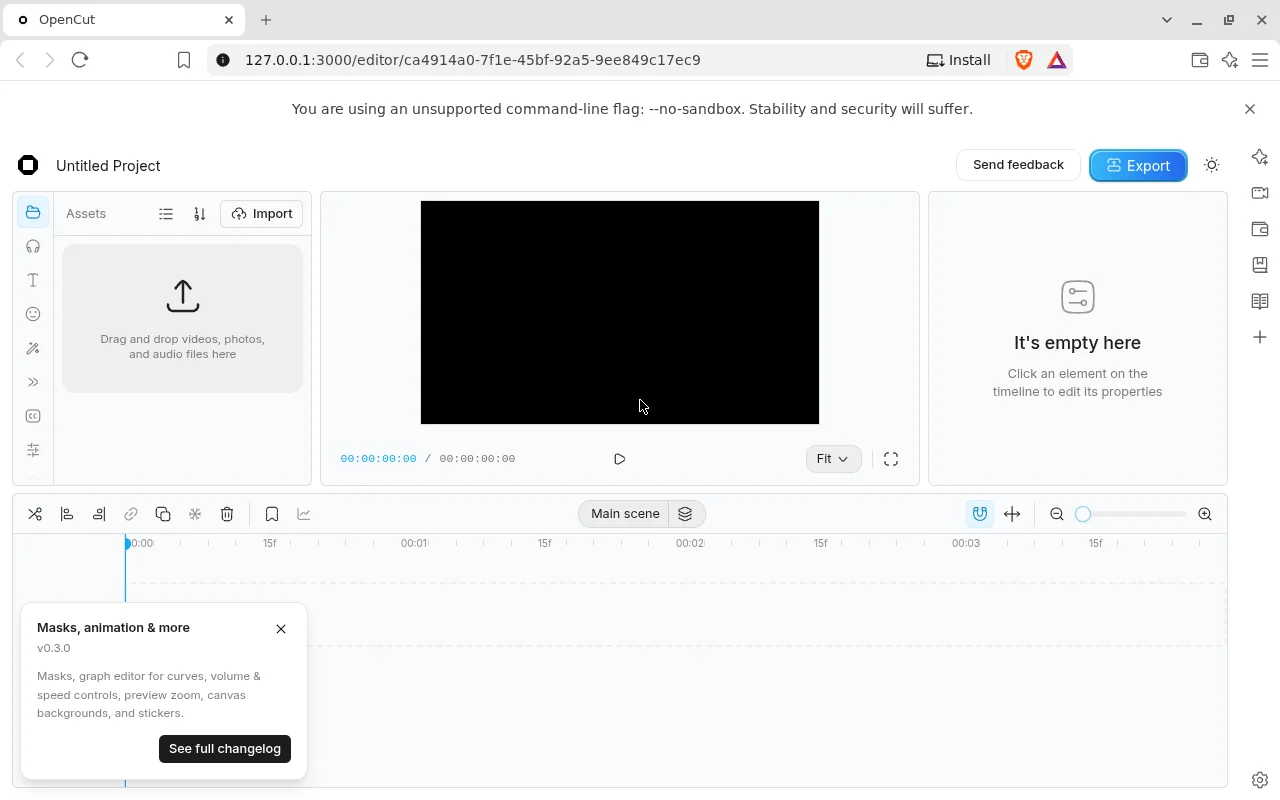
Open-source browser video editor (Next.js), built from its v0.3.0 source, served locally and opened in Brave.

PassingTested x86_64-linux

OpenCut 0.3.0 running during its automated Omnix testTest run ↗
Package source

GitHub source (tag) · v0.3.0 · MIT · Website

Install
Build and run from source
git clone --branch v0.3.0 https://github.com/OpenCut-app/OpenCut && cd OpenCut
bun install && cp apps/web/.env.example apps/web/.env.local
cd apps/web && bun run build && bun run start   # then open http://localhost:3000
Verified workflow
  1. Fetch the OpenCut v0.3.0 source tag from GitHub (no Linux binary, AppImage, flake or nixpkgs package exists); bun dependencies pinned by output hash
  2. Build the Next.js app offline in Nix (next/font's Google Fonts download answered with Next's mock hook and the nixpkgs Inter font)
  3. Start OpenCut's own standalone server on 127.0.0.1:3000 with the upstream .env.example placeholders; /projects returns the app
  4. Open /editor in Brave's official Linux build in an X11 session (--no-sandbox as root, software GL via SwiftShader since the VM has no GPU)
  5. The editor creates a new project and redirects to /editor/<uuid>; the welcome dialog shows
  6. Dismiss it: the editor (assets, preview, properties, timeline) shows "Untitled Project"; take a screenshot
Validation details
Test
Omnix-Linux/Omnix/tests/apps-opencut.nixnix build github:Omnix-Linux/Omnix#checks.x86_64-linux.app-opencut
Last run
Passing on 2026-10-06Revision: Omnix-Linux/Omnix@3f1ce17Fresh NixOS VM run (nix build .#checks.x86_64-linux.app-opencut) on the Omnix base with its desktop preset; the screenshot above is from this run. OpenCut publishes only the web app's source (its v0.3.0 release has no assets; nixpkgs has no package; no flake), so the test builds it from source. The editor's renderer needs WebGL2 or WebGPU: in the GPU-less VM Brave needs --use-angle=swiftshader --enable-unsafe-swiftshader, without which it shows "Failed to load project". The editor gates viewports under 1024 px, so the VM screen is 1280x800. Icon: OpenCut's own logo (apps/web/public/logos/opencut/icon.svg, MIT). Test in Omnix main (Omnix-Linux/Omnix#6).
Test log
opencut-web: ✓ Ready in 507ms
window: OpenCut - Brave
"url": "http://127.0.0.1:3000/editor/ca4914a0-7f1e-45bf-92a5-9ee849c17ec9"
screen text: Welcome to OpenCut Beta!
screen text: Untitled Project
test script finished in 57.35s

Automated test run in an Omnix virtual machine. View the recorded screenshot.

EffectCraft 0.3.0

Motion graphics and VFX

Passing

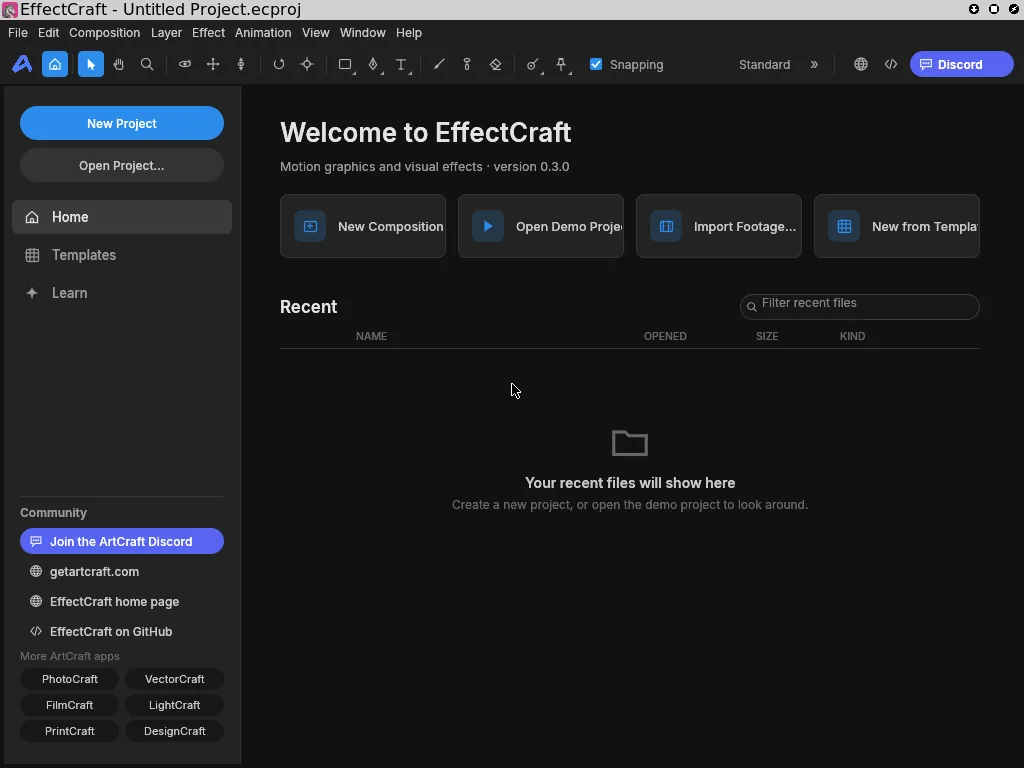
Compositing, motion graphics and visual effects. Run from its unmodified GitHub release.

PassingTested x86_64-linux

EffectCraft 0.3.0 running during its automated Omnix testTest run ↗
Package source

GitHub release v0.3.0 · SHA-256 checksums · Not attested · Apache-2.0 · Website

Install
Download from GitHub and verify
curl -fsSLO https://github.com/storytold/effectcraft/releases/download/v0.3.0/effectcraft-0.3.0-linux-x86_64.tar.gz
curl -fsSL https://github.com/storytold/effectcraft/releases/download/v0.3.0/SHA256SUMS.txt \
  | grep linux-x86_64.tar.gz | sha256sum -c -
sudo mkdir -p /opt/effectcraft && sudo tar -xzf effectcraft-0.3.0-linux-x86_64.tar.gz -C /opt/effectcraft --strip-components=1
Verified workflow
  1. Fetch effectcraft-0.3.0-linux-x86_64.tar.gz from the GitHub release, pinned to the sha256 in its SHA256SUMS.txt
  2. effectcraft --version and effectcraft-cli --version report 0.3.0
  3. Start EffectCraft in an X11 session through the Omnix FHS layer (no repackaging)
  4. Its main window maps and the app is still running 10 s later
  5. Take a screenshot
Validation details
Test
Omnix-Linux/Omnix/tests/apps-artcraft.nixnix build github:Omnix-Linux/Omnix#checks.x86_64-linux.app-effectcraft
Last run
Passing on 2026-10-06Revision: Omnix-Linux/Omnix@3f1ce17Fresh NixOS VM run (nix build .#checks.x86_64-linux.app-effectcraft); sha256 matched SHA256SUMS.txt; window “EffectCraft - Untitled Project.ecproj”. Test in Omnix main (Omnix-Linux/Omnix#6).
Test log
subtest: CLI and --version run
(finished: subtest: CLI and --version run, in 0.06 seconds)
subtest: main window appears
(finished: subtest: main window appears, in 16.62 seconds)
test script finished in 31.65s

Automated test run in an Omnix virtual machine. View the recorded screenshot.
Section 02

Image

Photo editing, raw development, image libraries and vector illustration. 3 apps · 3 passing

PhotoCraft 0.2.0

Image editor

Passing

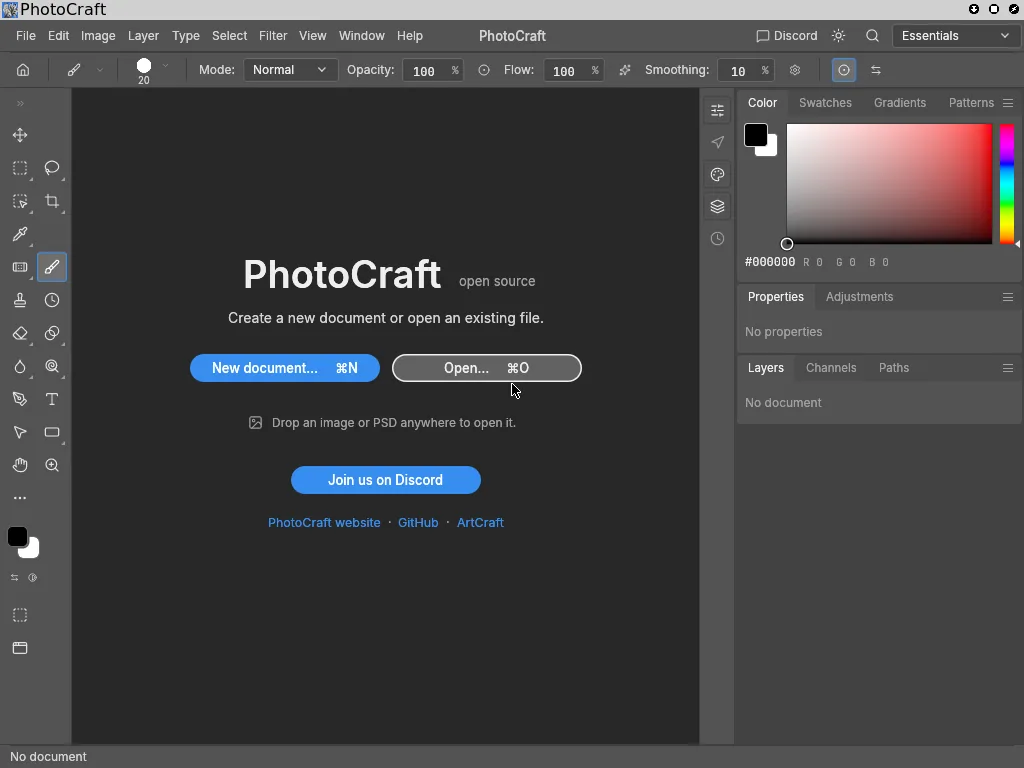
Layered raster editing in a native Rust app. Run from its unmodified GitHub release.

PassingTested x86_64-linux

PhotoCraft 0.2.0 running during its automated Omnix testTest run ↗
Package source

GitHub release v0.2.0 · SHA-256 checksums · Not attested · Apache-2.0 · Website

Install
Download from GitHub and verify
curl -fsSLO https://github.com/storytold/photocraft/releases/download/v0.2.0/photocraft-0.2.0-linux-x86_64.tar.gz
curl -fsSL https://github.com/storytold/photocraft/releases/download/v0.2.0/SHA256SUMS.txt \
  | grep linux-x86_64.tar.gz | sha256sum -c -
sudo mkdir -p /opt/photocraft && sudo tar -xzf photocraft-0.2.0-linux-x86_64.tar.gz -C /opt/photocraft --strip-components=1
Verified workflow
  1. Fetch photocraft-0.2.0-linux-x86_64.tar.gz from the GitHub release, pinned to the sha256 in its SHA256SUMS.txt
  2. photocraft --version and photocraft-cli --version report 0.2.0
  3. Start PhotoCraft in an X11 session through the Omnix FHS layer (no repackaging)
  4. Its main window maps and the app is still running 10 s later
  5. Take a screenshot
Validation details
Test
Omnix-Linux/Omnix/tests/apps-artcraft.nixnix build github:Omnix-Linux/Omnix#checks.x86_64-linux.app-photocraft
Last run
Passing on 2026-10-06Revision: Omnix-Linux/Omnix@3f1ce17Fresh NixOS VM run (nix build .#checks.x86_64-linux.app-photocraft); sha256 matched SHA256SUMS.txt; window “PhotoCraft”. Test in Omnix main (Omnix-Linux/Omnix#6).
Test log
subtest: CLI and --version run
(finished: subtest: CLI and --version run, in 0.29 seconds)
subtest: main window appears
(finished: subtest: main window appears, in 12.80 seconds)
test script finished in 28.84s

Automated test run in an Omnix virtual machine. View the recorded screenshot.

VectorCraft 0.3.0

Vector illustration

Passing

Paths, shapes and type for illustration and logos. Run from its unmodified GitHub release.

PassingTested x86_64-linux

VectorCraft 0.3.0 running during its automated Omnix testTest run ↗
Package source

GitHub release v0.3.0 · SHA-256 checksums · Not attested · Apache-2.0 · Website

Install
Download from GitHub and verify
curl -fsSLO https://github.com/storytold/vectorcraft/releases/download/v0.3.0/vectorcraft-0.3.0-linux-x86_64.tar.gz
curl -fsSL https://github.com/storytold/vectorcraft/releases/download/v0.3.0/SHA256SUMS.txt \
  | grep linux-x86_64.tar.gz | sha256sum -c -
sudo mkdir -p /opt/vectorcraft && sudo tar -xzf vectorcraft-0.3.0-linux-x86_64.tar.gz -C /opt/vectorcraft --strip-components=1
Verified workflow
  1. Fetch vectorcraft-0.3.0-linux-x86_64.tar.gz from the GitHub release, pinned to the sha256 in its SHA256SUMS.txt
  2. vectorcraft --version and vectorcraft-cli --version report 0.3.0
  3. Start VectorCraft in an X11 session through the Omnix FHS layer (no repackaging)
  4. Its main window maps and the app is still running 10 s later
  5. Take a screenshot
Validation details
Test
Omnix-Linux/Omnix/tests/apps-artcraft.nixnix build github:Omnix-Linux/Omnix#checks.x86_64-linux.app-vectorcraft
Last run
Passing on 2026-10-06Revision: Omnix-Linux/Omnix@3f1ce17Fresh NixOS VM run (nix build .#checks.x86_64-linux.app-vectorcraft); sha256 matched SHA256SUMS.txt; window “VectorCraft”. Test in Omnix main (Omnix-Linux/Omnix#6).
Test log
subtest: CLI and --version run
(finished: subtest: CLI and --version run, in 0.17 seconds)
subtest: main window appears
(finished: subtest: main window appears, in 12.49 seconds)
test script finished in 27.65s

Automated test run in an Omnix virtual machine. View the recorded screenshot.
LightCraft 0.2.0

Photo library and raw developer

Passing

Catalogue and develop raw photos. Run from its unmodified GitHub release.

PassingTested x86_64-linux

LightCraft 0.2.0 running during its automated Omnix testTest run ↗
Package source

GitHub release v0.2.0 · SHA-256 checksums · Not attested · Apache-2.0 · Website

Install
Download from GitHub and verify
curl -fsSLO https://github.com/storytold/lightcraft/releases/download/v0.2.0/lightcraft-0.2.0-linux-x86_64.tar.gz
curl -fsSL https://github.com/storytold/lightcraft/releases/download/v0.2.0/SHA256SUMS.txt \
  | grep linux-x86_64.tar.gz | sha256sum -c -
sudo mkdir -p /opt/lightcraft && sudo tar -xzf lightcraft-0.2.0-linux-x86_64.tar.gz -C /opt/lightcraft --strip-components=1
Verified workflow
  1. Fetch lightcraft-0.2.0-linux-x86_64.tar.gz from the GitHub release, pinned to the sha256 in its SHA256SUMS.txt
  2. lightcraft --version and lightcraft-cli --version report 0.2.0
  3. Start LightCraft in an X11 session through the Omnix FHS layer (no repackaging)
  4. Its main window maps and the app is still running 10 s later
  5. Take a screenshot
Validation details
Test
Omnix-Linux/Omnix/tests/apps-artcraft.nixnix build github:Omnix-Linux/Omnix#checks.x86_64-linux.app-lightcraft
Last run
Passing on 2026-10-06Revision: Omnix-Linux/Omnix@3f1ce17Fresh NixOS VM run (nix build .#checks.x86_64-linux.app-lightcraft); sha256 matched SHA256SUMS.txt; window “LightCraft”. Test in Omnix main (Omnix-Linux/Omnix#6).
Test log
subtest: CLI and --version run
(finished: subtest: CLI and --version run, in 0.18 seconds)
subtest: main window appears
(finished: subtest: main window appears, in 12.90 seconds)
test script finished in 27.68s

Automated test run in an Omnix virtual machine. View the recorded screenshot.

Section 03

Office

Office suites, writing, spreadsheets, email, calendars, notes and references. New entries await compatibility testing. 13 apps · 1 passing · 12 unknown

LibreOffice

Office suite

Unknown

Writer documents, Calc spreadsheets, Impress presentations, Draw diagrams, Base databases and Math formulas.

Not yet validatedx86_64-linux

Package source

nixpkgs · 26.8.0.3 · MPL-2.0 / LGPL-3.0-or-later / Apache-2.0 · Website

Install
Try with Nix
nix shell nixpkgs#libreoffice
libreoffice
Validation details
Test
No test yet
Last run
Not run for this page yet. The status appears once a maintainer or agent runs the test and records the result.

ONLYOFFICE Desktop Editors

Office suite

Unknown

Desktop editors for documents, spreadsheets, presentations and PDFs.

Not yet validatedx86_64-linux

Package source

nixpkgs · 9.1.0 · AGPL-3.0-or-later · Website

Install
Try with Nix
nix shell nixpkgs#onlyoffice-desktopeditors
onlyoffice-desktopeditors
Validation details
Test
No test yet
Last run
Not run for this page yet. The status appears once a maintainer or agent runs the test and records the result.

Calligra

Office suite

Unknown

KDE office tools: Words for documents, Sheets for spreadsheets, Stage for presentations and Karbon for vector drawings.

Not yet validatedx86_64-linux

Package source

nixpkgs · 26.08.1 · BSD-2-Clause / BSD-3-Clause / BSD-3-Clause / BSL-1.0 / CC0-1.0 / CPL-1.0 / GPL-2.0-only / GPL-2.0-or-later / GPL-3.0-only / GPL-3.0-or-later / LGPL-2.0-only / LGPL-2.0-or-later / LGPL-2.1-only / LGPL-2.1-or-later / GPL-3.0-or-later · Website

Install
Try with Nix
nix shell nixpkgs#kdePackages.calligra
calligrawords
Validation details
Test
No test yet
Last run
Not run for this page yet. The status appears once a maintainer or agent runs the test and records the result.

WPS Office

Office suite

Unknown

Writer, Spreadsheets, Presentation and PDF tools for Linux. Proprietary software.

Not yet validatedx86_64-linux

Package source

nixpkgs · 11.1.0.11723 · unfree · Website

Install
Try with Nix
NIXPKGS_ALLOW_UNFREE=1 nix shell --impure nixpkgs#wpsoffice
wps
Validation details
Test
No test yet
Last run
Not run for this page yet. The status appears once a maintainer or agent runs the test and records the result.

SoftMaker FreeOffice

Office suite

Unknown

TextMaker documents, PlanMaker spreadsheets and Presentations. Proprietary software, free for personal and business use.

Not yet validatedx86_64-linux

Package source

nixpkgs · 2024.1234 · unfree · Website

Install
Try with Nix
NIXPKGS_ALLOW_UNFREE=1 nix shell --impure nixpkgs#freeoffice
freeoffice-textmaker
Validation details
Test
No test yet
Last run
Not run for this page yet. The status appears once a maintainer or agent runs the test and records the result.

Gnumeric

Spreadsheets

Unknown

A standalone spreadsheet application for calculations, data analysis and charts.

Not yet validatedx86_64-linux

Package source

nixpkgs · 1.12.61 · GPL-2.0-or-later · Website

Install
Try with Nix
nix shell nixpkgs#gnumeric
gnumeric
Validation details
Test
No test yet
Last run
Not run for this page yet. The status appears once a maintainer or agent runs the test and records the result.

AbiWord

Word processing

Unknown

A lightweight standalone word processor for writing and editing documents.

Not yet validatedx86_64-linux

Package source

nixpkgs · 3.0.8 · GPL-3.0 · Website

Install
Try with Nix
nix shell nixpkgs#abiword
abiword
Validation details
Test
No test yet
Last run
Not run for this page yet. The status appears once a maintainer or agent runs the test and records the result.

Thunderbird 156.0.1

Email client

Passing

Mozilla’s email, calendar and contacts client. The test checks desktop startup as a normal user; account setup and mail delivery are not tested.

PassingTested x86_64-linux

Thunderbird 156.0.1 running during its automated Omnix testTest run ↗
Package source

nixpkgs · 156.0.1 · MPL-2.0 · Website

Install
Try with Nix
nix shell nixpkgs#thunderbird
thunderbird
Verified workflow
  1. Launch Thunderbird as a normal user in the Omnix X11 test session
  2. Wait for a visible application window
  3. Confirm the application remains running and capture its startup screen
  4. No external account is used; messaging, calls and mail delivery are outside this check
Validation details
Test
Omnix-Linux/Omnix/tests/apps-catalog.nixnix build github:Omnix-Linux/Omnix#checks.x86_64-linux.apps-communication
Last run
Passing on 2026-10-07Revision: Omnix-Linux/Omnix@e9960229758df5eec998d1266f90aff208e99c2dFresh Omnix X11 VM as a normal user; native package from the locked nixpkgs revision. Visible desktop startup and an active process were checked. No account sign-in, messages, calls or mail delivery were tested.
Test log
machine: waiting for success: DISPLAY=:0 xdotool search --onlyvisible --class thunderbird
machine: must succeed: sleep 3; systemctl is-active check-thunderbird
OMNIX-CATALOG-PASS thunderbird (scoped VM assertions)
test script finished in 59.08s

Automated test run in an Omnix virtual machine. View the recorded screenshot.
Evolution

Email, calendar and contacts

Unknown

Email, calendars, contacts, memos and tasks in a GNOME productivity client.

Not yet validatedx86_64-linux

Package source

nixpkgs · 3.60.2 · LGPL-2.0-or-later · Website

Install
Try with Nix
nix shell nixpkgs#evolution
evolution
Validation details
Test
No test yet
Last run
Not run for this page yet. The status appears once a maintainer or agent runs the test and records the result.

Kontact

Email, calendar and contacts

Unknown

KDE personal information manager integrating email, calendars, contacts and other productivity tools.

Not yet validatedx86_64-linux

Package source

nixpkgs · 26.08.1 · BSD-3-Clause / CC0-1.0 / GPL-2.0-or-later / LGPL-2.0-only / LGPL-2.0-or-later / MIT · Website

Install
Try with Nix
nix shell nixpkgs#kdePackages.kontact
kontact
Validation details
Test
No test yet
Last run
Not run for this page yet. The status appears once a maintainer or agent runs the test and records the result.

Geary

Email

Unknown

A GNOME email client organized around conversations.

Not yet validatedx86_64-linux

Package source

nixpkgs · 46.0 · LGPL-2.1-or-later · Website

Install
Try with Nix
nix shell nixpkgs#geary
geary
Validation details
Test
No test yet
Last run
Not run for this page yet. The status appears once a maintainer or agent runs the test and records the result.

Joplin

Notes and tasks

Unknown

Markdown and rich-text notes, attachments and to-do lists, with optional synchronization.

Not yet validatedx86_64-linux

Package source

nixpkgs · 3.7.21 · AGPL-3.0-or-later · Website

Install
Try with Nix
nix shell nixpkgs#joplin-desktop
joplin-desktop
Validation details
Test
No test yet
Last run
Not run for this page yet. The status appears once a maintainer or agent runs the test and records the result.

Zotero

Reference management

Unknown

Collect, organize, annotate and cite research; integrates with LibreOffice for bibliographies.

Not yet validatedx86_64-linux

Package source

nixpkgs · 10.0.2 · AGPL-3.0-only · Website

Install
Try with Nix
nix shell nixpkgs#zotero
zotero
Validation details
Test
No test yet
Last run
Not run for this page yet. The status appears once a maintainer or agent runs the test and records the result.
Section 04

Documents and publishing

PDF editing and page layout for print and screen. 2 apps · 2 passing

PrintCraft 0.2.0

PDF workbench

Passing

Read, edit and assemble PDFs. Run from its unmodified GitHub release.

PassingTested x86_64-linux

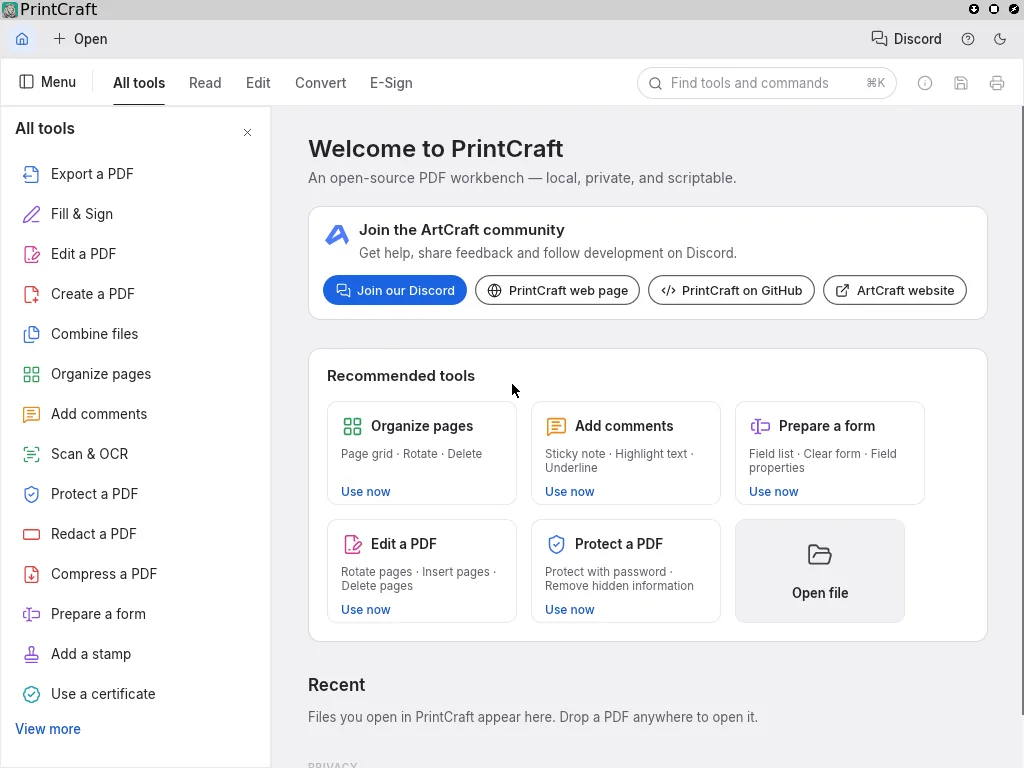
PrintCraft 0.2.0 running during its automated Omnix testTest run ↗
Package source

GitHub release v0.2.0 · SHA-256 checksums · Not attested · Apache-2.0 · Website

Install
Download from GitHub and verify
curl -fsSLO https://github.com/storytold/printcraft/releases/download/v0.2.0/printcraft-0.2.0-linux-x86_64.tar.gz
curl -fsSL https://github.com/storytold/printcraft/releases/download/v0.2.0/SHA256SUMS.txt \
  | grep linux-x86_64.tar.gz | sha256sum -c -
sudo mkdir -p /opt/printcraft && sudo tar -xzf printcraft-0.2.0-linux-x86_64.tar.gz -C /opt/printcraft --strip-components=1
Verified workflow
  1. Fetch printcraft-0.2.0-linux-x86_64.tar.gz from the GitHub release, pinned to the sha256 in its SHA256SUMS.txt
  2. printcraft --version and printcraft-cli --version report 0.2.0
  3. Start PrintCraft in an X11 session through the Omnix FHS layer (no repackaging)
  4. Its main window maps and the app is still running 10 s later
  5. Take a screenshot
Validation details
Test
Omnix-Linux/Omnix/tests/apps-artcraft.nixnix build github:Omnix-Linux/Omnix#checks.x86_64-linux.app-printcraft
Last run
Passing on 2026-10-06Revision: Omnix-Linux/Omnix@3f1ce17Fresh NixOS VM run (nix build .#checks.x86_64-linux.app-printcraft); sha256 matched SHA256SUMS.txt; window “PrintCraft”. Test in Omnix main (Omnix-Linux/Omnix#6).
Test log
subtest: CLI and --version run
(finished: subtest: CLI and --version run, in 0.09 seconds)
subtest: main window appears
(finished: subtest: main window appears, in 11.32 seconds)
test script finished in 29.18s

Automated test run in an Omnix virtual machine. View the recorded screenshot.

DesignCraft 0.2.0

Page layout and publishing

Passing

Lay out pages for print and screen. Run from its unmodified GitHub release.

PassingTested x86_64-linux

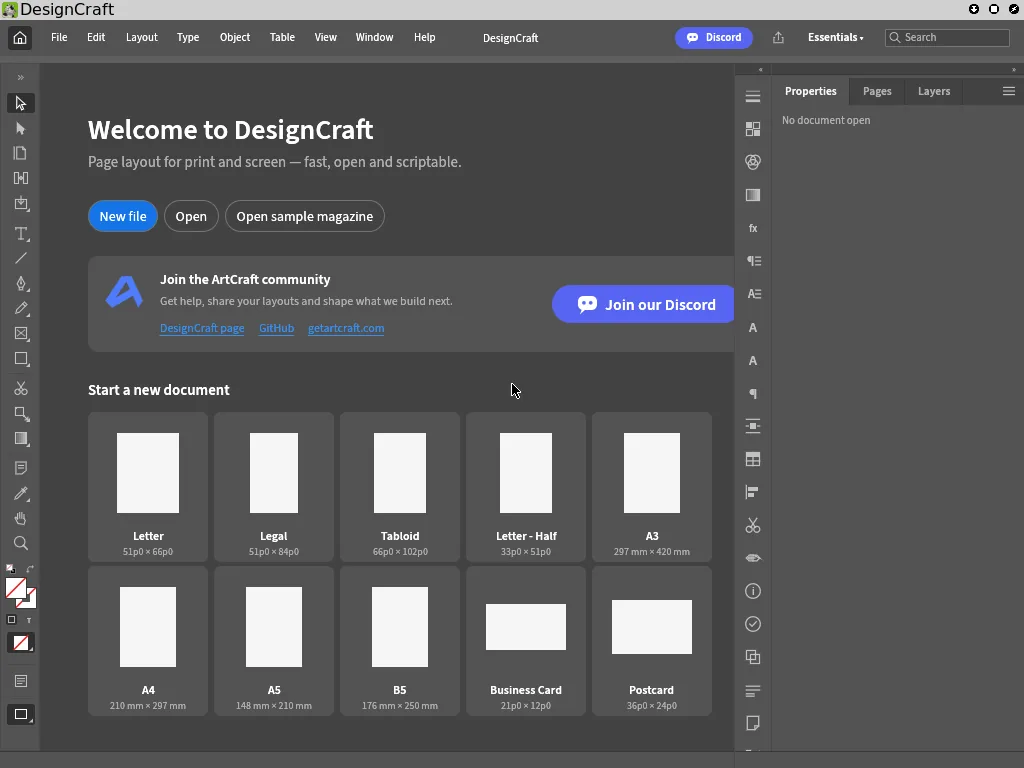
DesignCraft 0.2.0 running during its automated Omnix testTest run ↗
Package source

GitHub release v0.2.0 · SHA-256 checksums · Not attested · Apache-2.0 · Website

Install
Download from GitHub and verify
curl -fsSLO https://github.com/storytold/designcraft/releases/download/v0.2.0/designcraft-0.2.0-linux-x86_64.tar.gz
curl -fsSL https://github.com/storytold/designcraft/releases/download/v0.2.0/SHA256SUMS.txt \
  | grep linux-x86_64.tar.gz | sha256sum -c -
sudo mkdir -p /opt/designcraft && sudo tar -xzf designcraft-0.2.0-linux-x86_64.tar.gz -C /opt/designcraft --strip-components=1
Verified workflow
  1. Fetch designcraft-0.2.0-linux-x86_64.tar.gz from the GitHub release, pinned to the sha256 in its SHA256SUMS.txt
  2. designcraft --version and designcraft-cli --version report 0.2.0
  3. Start DesignCraft in an X11 session through the Omnix FHS layer (no repackaging)
  4. Its main window maps and the app is still running 10 s later
  5. Take a screenshot
Validation details
Test
Omnix-Linux/Omnix/tests/apps-artcraft.nixnix build github:Omnix-Linux/Omnix#checks.x86_64-linux.app-designcraft
Last run
Passing on 2026-10-06Revision: Omnix-Linux/Omnix@3f1ce17Fresh NixOS VM run (nix build .#checks.x86_64-linux.app-designcraft); sha256 matched SHA256SUMS.txt; window “DesignCraft”. Test in Omnix main (Omnix-Linux/Omnix#6).
Test log
subtest: CLI and --version run
(finished: subtest: CLI and --version run, in 0.08 seconds)
subtest: main window appears
(finished: subtest: main window appears, in 11.24 seconds)
test script finished in 29.02s

Automated test run in an Omnix virtual machine. View the recorded screenshot.
Section 05

Browsers

Browser startup and page rendering checked in Omnix virtual machines. 5 apps · 5 passing

Brave 1.96.61

Browser

Passing

Brave's official Linux build, run from its unmodified GitHub release zip.

PassingTested x86_64-linux

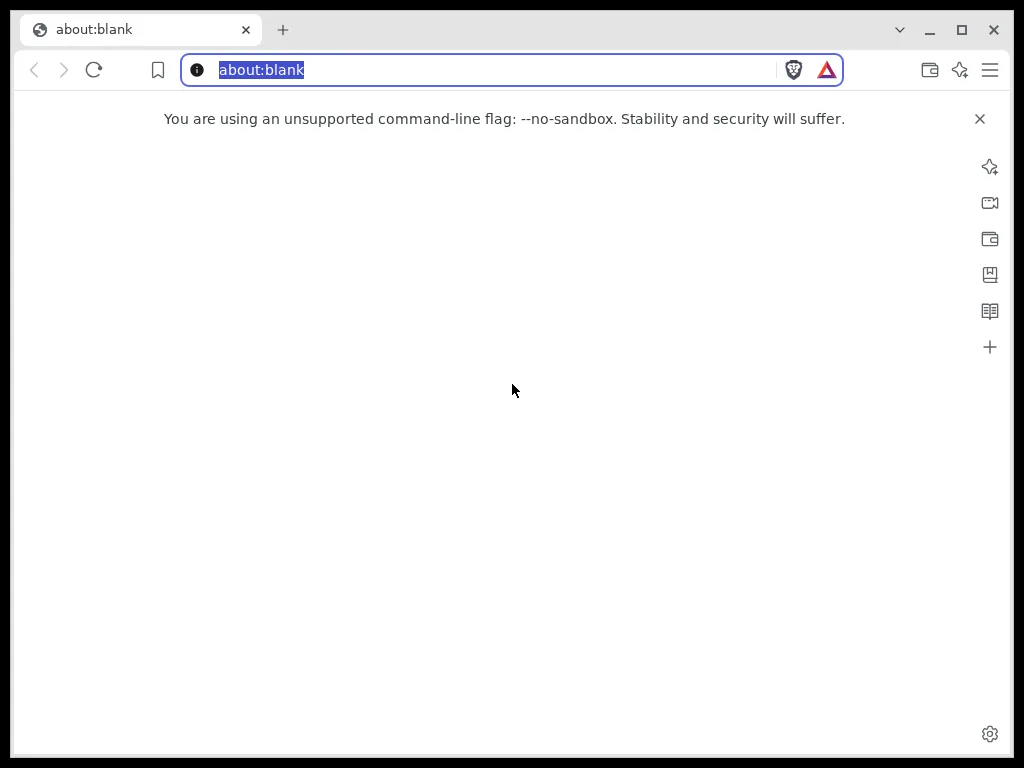
Brave 1.96.61 running during its automated Omnix testTest run ↗
Package source

GitHub release v1.96.61 · SHA-256 checksums · Not attested · MPL-2.0 · Website

Install
Download from GitHub and verify
curl -fsSLO https://github.com/brave/brave-browser/releases/download/v1.96.61/brave-browser-1.96.61-linux-amd64.zip
curl -fsSL https://github.com/brave/brave-browser/releases/download/v1.96.61/brave-browser-1.96.61-linux-amd64.zip.sha256 | sha256sum -c -
sudo mkdir -p /opt/brave && sudo unzip -q brave-browser-1.96.61-linux-amd64.zip -d /opt/brave
Verified workflow
  1. Fetch brave-browser-1.96.61-linux-amd64.zip from the GitHub release, pinned to the sha256 in its .sha256 file
  2. brave --version reports Brave Browser 154.1.96.61
  3. Start Brave in an X11 session through the Omnix FHS layer (--no-sandbox because the test session is root, a fresh profile, --no-first-run)
  4. A browser window opens on about:blank and stays up
  5. Take a screenshot
Validation details
Test
Omnix-Linux/Omnix/tests/apps-desktop.nixnix build github:Omnix-Linux/Omnix#checks.x86_64-linux.app-brave
Last run
Passing on 2026-10-06Revision: Omnix-Linux/Omnix@3f1ce17Fresh NixOS VM run; sha256 matched the release's .sha256 file. Test in Omnix main (Omnix-Linux/Omnix#6).
Test log
Brave Browser 154.1.96.61
window: about:blank - Brave
test script finished in 41.12s

Automated test run in an Omnix virtual machine. View the recorded screenshot.

Chrome 154.0.8037.92

Web browser

Passing

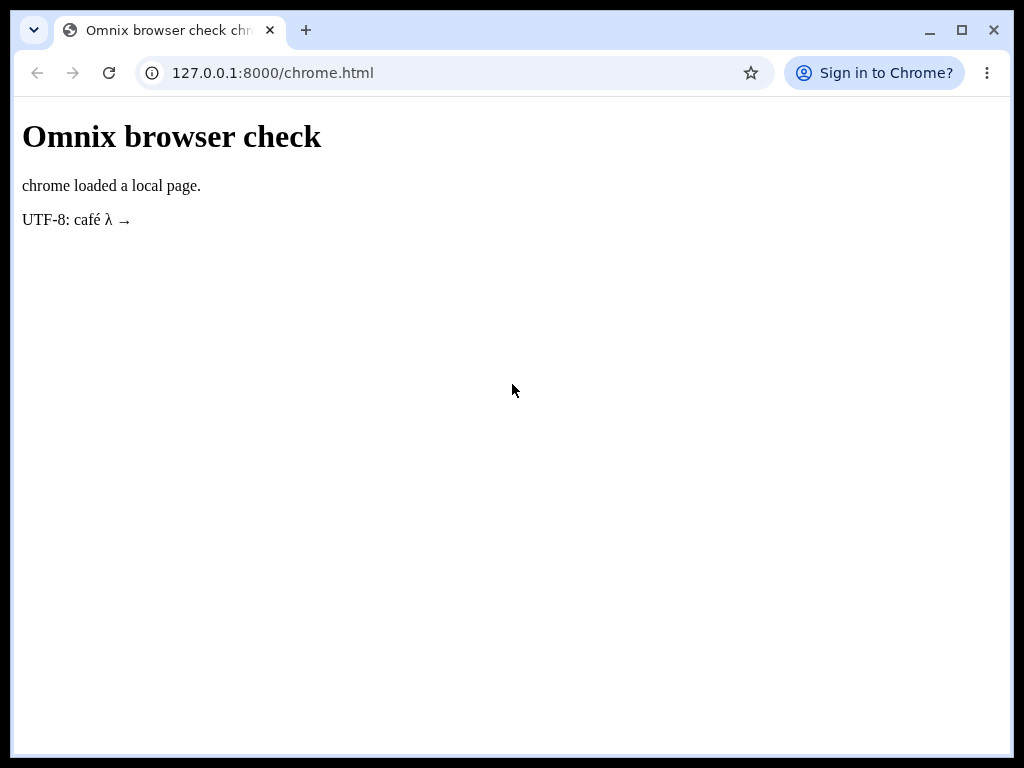
Google Chrome from the pinned nixpkgs package set. The test loads a local page and verifies its title and JavaScript request.

PassingTested x86_64-linux

Chrome 154.0.8037.92 running during its automated Omnix testTest run ↗
Package source

nixpkgs · 154.0.8037.92 · Proprietary · Website

Install
Try with Nix
NIXPKGS_ALLOW_UNFREE=1 nix shell --impure nixpkgs#google-chrome
google-chrome
Verified workflow
  1. Report the installed Chrome version
  2. Launch Chrome as a normal user with a fresh profile
  3. Load an offline HTTP fixture served inside the VM
  4. Verify the window title matches the fixture and JavaScript sends a request to the local server
  5. Confirm the browser remains running and capture a screenshot
Validation details
Test
Omnix-Linux/Omnix/tests/apps-catalog.nixnix build github:Omnix-Linux/Omnix#checks.x86_64-linux.apps-browsers
Last run
Passing on 2026-10-07Revision: Omnix-Linux/Omnix@e9960229758df5eec998d1266f90aff208e99c2dFresh Omnix X11 VM as a normal user: a fresh browser profile loaded the local HTML fixture and ran JavaScript. Browser sandbox retained. Native package from the locked nixpkgs revision.
Test log
machine: waiting for success: journalctl -u browser-fixtures --no-pager | grep -q chrome-js-ok
OMNIX-CATALOG-PASS chrome (scoped VM assertions)
test script finished in 64.88s

Automated test run in an Omnix virtual machine. View the recorded screenshot.
Chromium 154.0.8037.92

Web browser

Passing

The open-source Chromium browser. The test loads a local page and verifies its title and JavaScript request.

PassingTested x86_64-linux

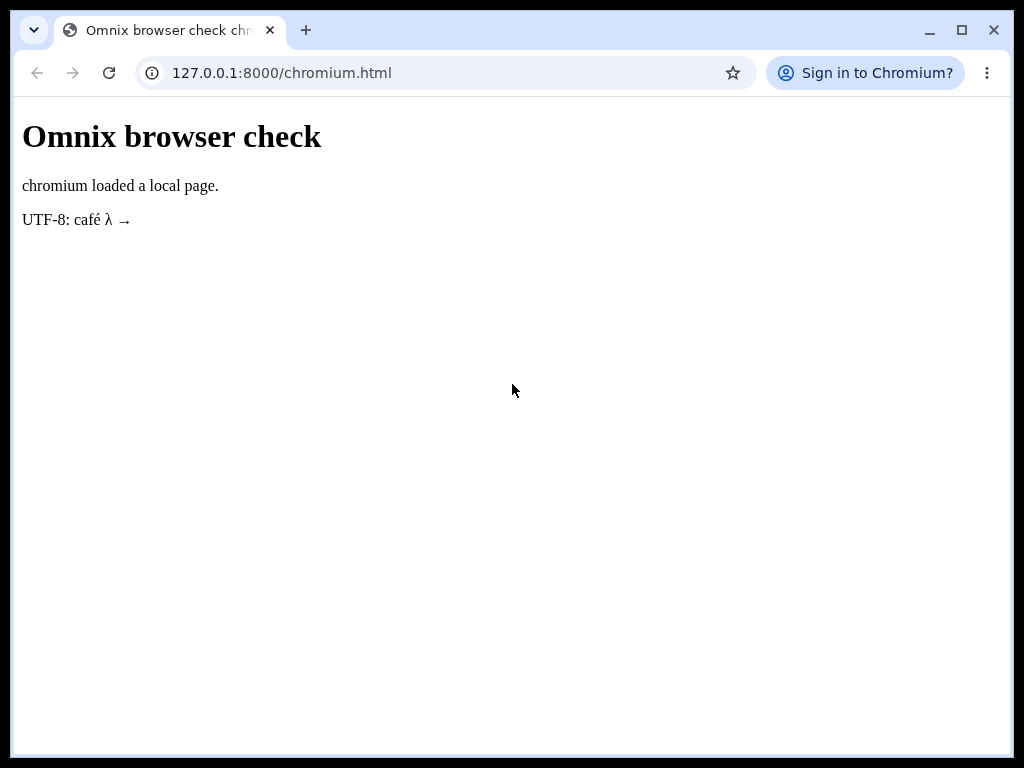
Chromium 154.0.8037.92 running during its automated Omnix testTest run ↗
Package source

nixpkgs · 154.0.8037.92 · BSD-3-Clause · Website

Install
Try with Nix
nix shell nixpkgs#chromium
chromium
Verified workflow
  1. Report the installed Chromium version
  2. Launch Chromium as a normal user with a fresh profile
  3. Load an offline HTTP fixture served inside the VM
  4. Verify the window title matches the fixture and JavaScript sends a request to the local server
  5. Confirm the browser remains running and capture a screenshot
Validation details
Test
Omnix-Linux/Omnix/tests/apps-catalog.nixnix build github:Omnix-Linux/Omnix#checks.x86_64-linux.apps-browsers
Last run
Passing on 2026-10-07Revision: Omnix-Linux/Omnix@e9960229758df5eec998d1266f90aff208e99c2dFresh Omnix X11 VM as a normal user: a fresh browser profile loaded the local HTML fixture and ran JavaScript. Browser sandbox retained. Native package from the locked nixpkgs revision.
Test log
machine: waiting for success: journalctl -u browser-fixtures --no-pager | grep -q chromium-js-ok
OMNIX-CATALOG-PASS chromium (scoped VM assertions)
test script finished in 64.88s

Automated test run in an Omnix virtual machine. View the recorded screenshot.

Firefox 157.0

Web browser

Passing

Mozilla Firefox from the pinned nixpkgs package set. The test loads a local page and verifies its title and JavaScript request.

PassingTested x86_64-linux

Firefox 157.0 running during its automated Omnix testTest run ↗
Package source

nixpkgs · 157.0 · MPL-2.0 · Website

Install
Try with Nix
nix shell nixpkgs#firefox
firefox
Verified workflow
  1. Report the installed Firefox version
  2. Launch Firefox as a normal user with a fresh profile
  3. Load an offline HTTP fixture served inside the VM
  4. Verify the window title matches the fixture and JavaScript sends a request to the local server
  5. Confirm the browser remains running and capture a screenshot
Validation details
Test
Omnix-Linux/Omnix/tests/apps-catalog.nixnix build github:Omnix-Linux/Omnix#checks.x86_64-linux.apps-browsers
Last run
Passing on 2026-10-07Revision: Omnix-Linux/Omnix@e9960229758df5eec998d1266f90aff208e99c2dFresh Omnix X11 VM as a normal user: a fresh browser profile loaded the local HTML fixture and ran JavaScript. Browser sandbox retained. Native package from the locked nixpkgs revision.
Test log
machine: waiting for success: journalctl -u browser-fixtures --no-pager | grep -q firefox-js-ok
OMNIX-CATALOG-PASS firefox (scoped VM assertions)
test script finished in 64.88s

Automated test run in an Omnix virtual machine. View the recorded screenshot.

Helium 0.18.3.1

Web browser

Passing

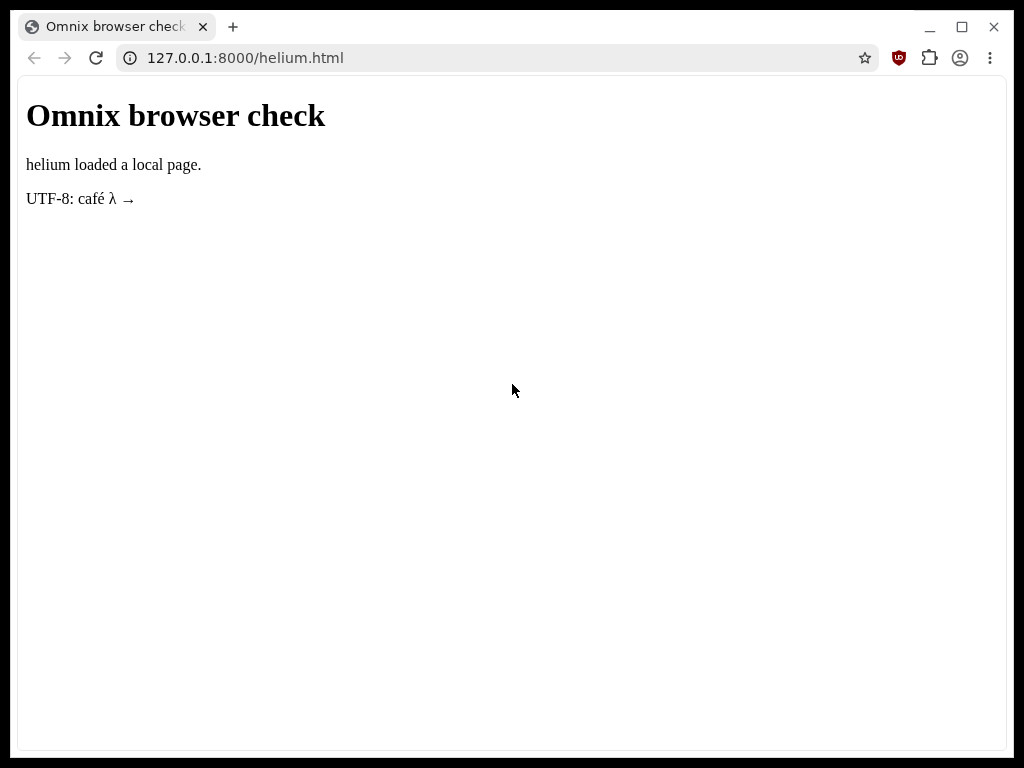
Helium’s upstream Linux tarball, run through the Omnix FHS layer. The test loads a local page and verifies its title and JavaScript request.

PassingTested x86_64-linux

Helium 0.18.3.1 running during its automated Omnix testTest run ↗
Package source

GitHub release 0.18.3.1 · No checksums · Not attested · GPL-3.0 · Website

Install
Download from upstream
sudo mkdir -p /opt/helium
curl -fsSL https://github.com/imputnet/helium-linux/releases/download/0.18.3.1/helium-0.18.3.1-x86_64_linux.tar.xz \
  | sudo tar -xJ -C /opt/helium --strip-components=1
/opt/helium/helium
Verified workflow
  1. Report the installed Helium version
  2. Launch Helium as a normal user with a fresh profile
  3. Load an offline HTTP fixture served inside the VM
  4. Verify the window title matches the fixture and JavaScript sends a request to the local server
  5. Confirm the browser remains running and capture a screenshot
Validation details
Test
Omnix-Linux/Omnix/tests/apps-catalog.nixnix build github:Omnix-Linux/Omnix#checks.x86_64-linux.apps-browsers
Last run
Passing on 2026-10-07Revision: Omnix-Linux/Omnix@e9960229758df5eec998d1266f90aff208e99c2dFresh Omnix X11 VM as a normal user: a fresh browser profile loaded the local HTML fixture and ran JavaScript. Browser sandbox retained. Upstream Helium Linux archive, pinned to the verified SHA-256.
Test log
machine: waiting for success: journalctl -u browser-fixtures --no-pager | grep -q helium-js-ok
OMNIX-CATALOG-PASS helium (scoped VM assertions)
test script finished in 64.88s

Automated test run in an Omnix virtual machine. View the recorded screenshot.

Section 06

Communication

Messaging, team chat and Matrix clients. Desktop startup is tested; account-based messaging and calls are not. 5 apps · 4 passing · 1 known gap

Telegram Desktop 7.2.9

Chat

Passing

Telegram's official Linux build, run from its unmodified GitHub release tarball.

PassingTested x86_64-linux

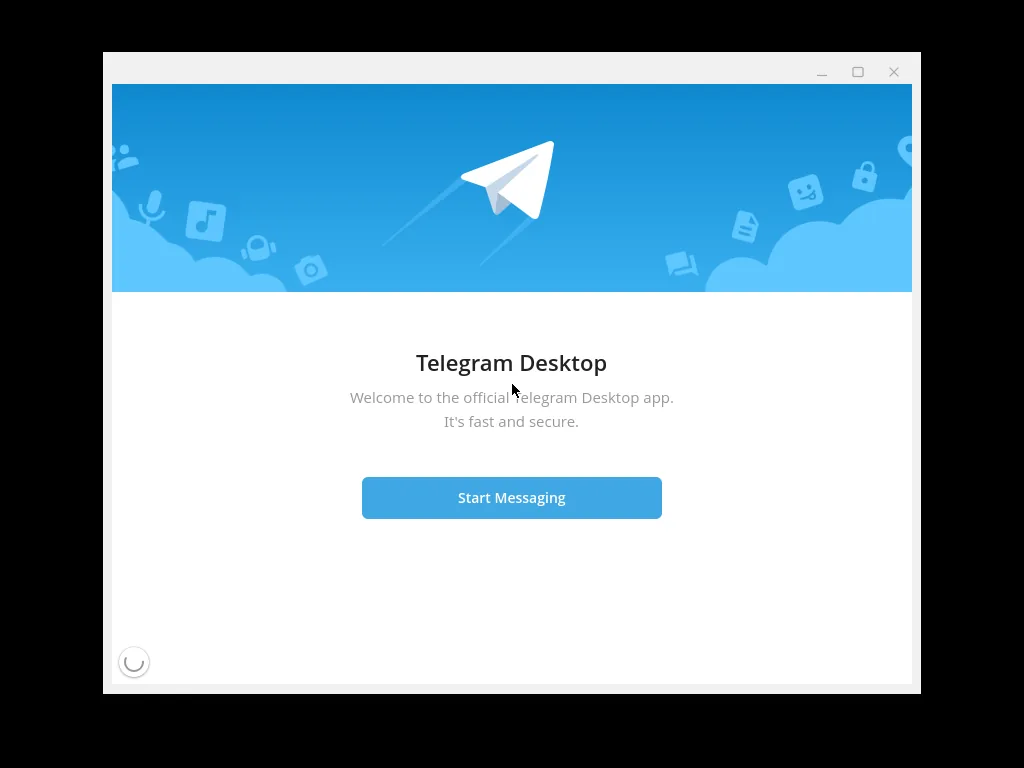
Telegram Desktop 7.2.9 running during its automated Omnix testTest run ↗
Package source

GitHub release v7.2.9 · No checksums · Not attested · GPL-3.0 · Website

Install
Download from GitHub
curl -fsSL https://github.com/telegramdesktop/tdesktop/releases/download/v7.2.9/td-setup-linux-x64-7.2.9.tar.xz \
  | sudo tar -xJ -C /opt
/opt/Telegram/Telegram
Verified workflow
  1. Fetch td-setup-linux-x64-7.2.9.tar.xz from the GitHub release, pinned by sha256 (Telegram publishes no checksum file)
  2. Start Telegram in an X11 session through the Omnix FHS layer, no flags
  3. The welcome window opens and stays up
  4. Take a screenshot
Validation details
Test
Omnix-Linux/Omnix/tests/apps-desktop.nixnix build github:Omnix-Linux/Omnix#checks.x86_64-linux.app-telegram
Last run
Passing on 2026-10-06Revision: Omnix-Linux/Omnix@3f1ce17Fresh NixOS VM run; no flags or workarounds needed. Test in Omnix main (Omnix-Linux/Omnix#6).
Test log
window: Telegram (welcome screen)
test script finished in 42.36s

Automated test run in an Omnix virtual machine. View the recorded screenshot.

Signal Desktop 8.26.0

Chat

Passing

End-to-end encrypted messenger, from nixpkgs (Signal publishes only an apt repository).

PassingTested x86_64-linux

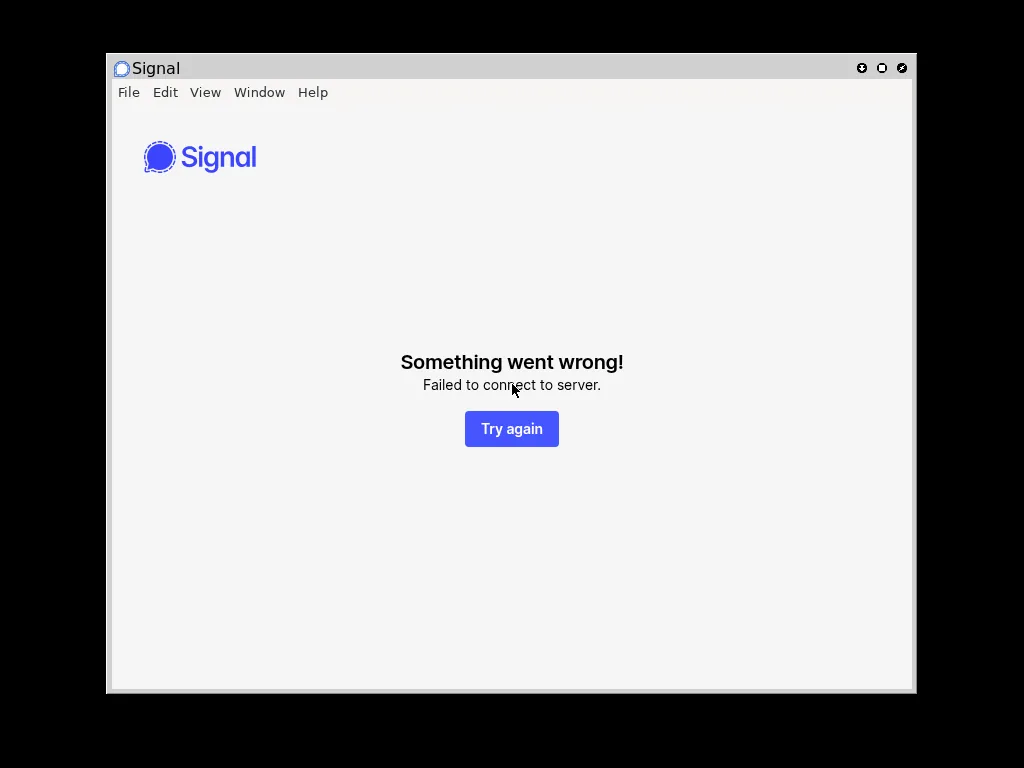
Signal Desktop 8.26.0 running during its automated Omnix testTest run ↗
Package source

nixpkgs · signal-desktop · AGPL-3.0 · Website

Install
Add to your configuration
environment.systemPackages = [ pkgs.signal-desktop ];
Verified workflow
  1. Install nixpkgs signal-desktop on the Omnix base
  2. Start Signal in an X11 session (--no-sandbox because the test session is root)
  3. The Signal window opens and stays up; with no network in the VM it shows its can't-connect page
  4. Take a screenshot
Validation details
Test
Omnix-Linux/Omnix/tests/apps-desktop.nixnix build github:Omnix-Linux/Omnix#checks.x86_64-linux.app-signal
Last run
Passing on 2026-10-06Revision: Omnix-Linux/Omnix@3f1ce17Fresh NixOS VM run. The test VM has no network, so the screenshot shows Signal's “Failed to connect to server” page rather than the link-device screen. Test in Omnix main (Omnix-Linux/Omnix#6).
Test log
window: Signal
test script finished in 40.05s

Automated test run in an Omnix virtual machine. View the recorded screenshot.

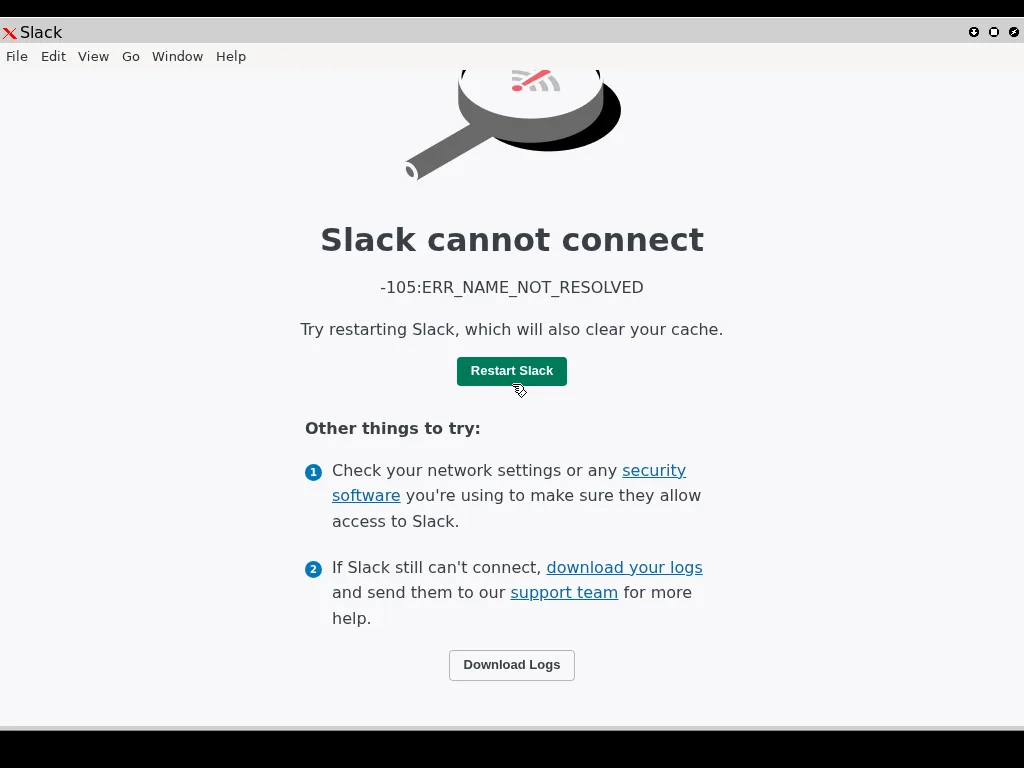
Slack 4.51.180

Chat

Passing

Team chat, from nixpkgs (unfree; Slack publishes only .deb and .rpm).

PassingTested x86_64-linux

Slack 4.51.180 running during its automated Omnix testTest run ↗
Package source

nixpkgs · slack · Proprietary · Website

Install
Add to your configuration
nixpkgs.config.allowUnfreePredicate = pkg: builtins.elem (lib.getName pkg) [ "slack" ];
environment.systemPackages = [ pkgs.slack ];
Verified workflow
  1. Install nixpkgs slack on the Omnix base (unfree allowed for Slack only)
  2. Start Slack as an ordinary user with its sandbox on, no flags
  3. The Slack window opens and stays up; with no network in the VM it shows its cannot-connect page
  4. Take a screenshot
Validation details
Test
Omnix-Linux/Omnix/tests/apps-desktop.nixnix build github:Omnix-Linux/Omnix#checks.x86_64-linux.app-slack
Last run
Passing on 2026-10-06Revision: Omnix-Linux/Omnix@3f1ce17Fresh NixOS VM run as a normal user with the sandbox on. The test VM has no network, so the screenshot shows Slack's “cannot connect” page. Test in Omnix main (Omnix-Linux/Omnix#6).
Test log
Slack 4.51.180, linux 6.18.54 on x64
window: Slack
test script finished in 39.02s

Automated test run in an Omnix virtual machine. View the recorded screenshot.

Discord 1.0.159

Voice and chat

Known gap

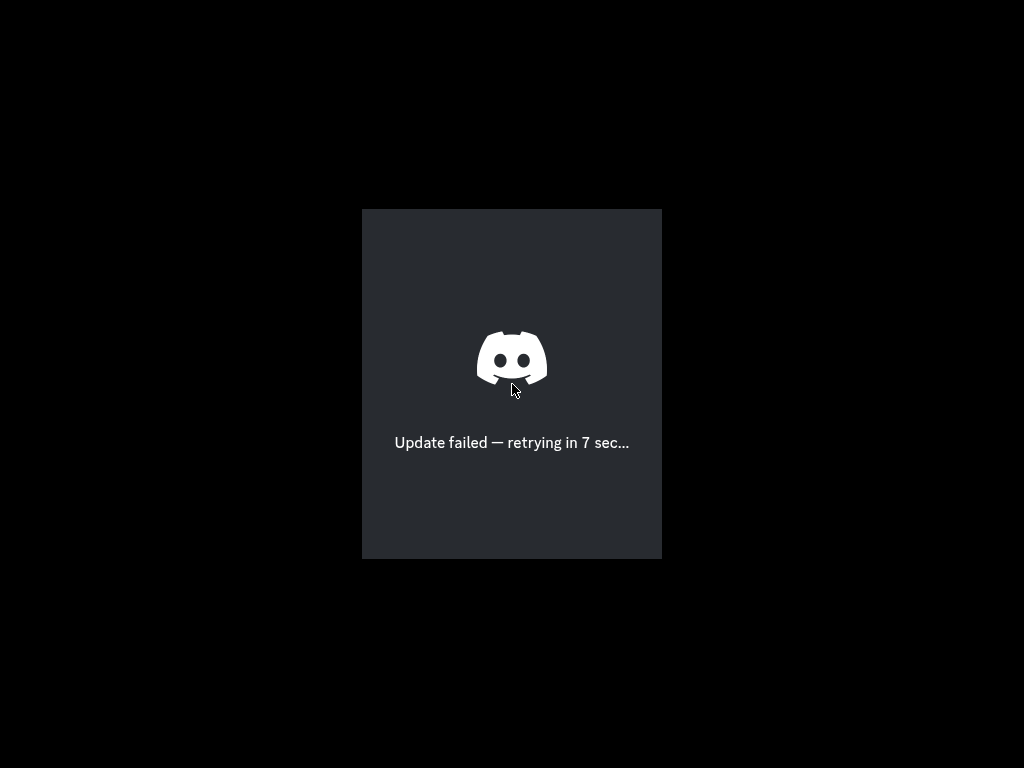
Voice and community chat. In the VM the bootstrap window opens, but its update download fails before sign-in.

Documented gapThe VM reaches the updater, which reports an update download failure. Sign-in readiness, messaging and calls are unverified.

Known gapTested x86_64-linux

Discord 1.0.159 running during its automated Omnix testTest run ↗
Package source

nixpkgs · 1.0.159 · Proprietary · Website

Install
Try with Nix
NIXPKGS_ALLOW_UNFREE=1 nix shell --impure nixpkgs#discord
discord
Verified workflow
  1. Launch Discord as a normal user in the Omnix X11 test session
  2. Wait for a visible bootstrap window and confirm the process remains active
  3. Capture the startup screen: update download fails before sign-in
  4. No external account is used; messaging and calls are not tested
Validation details
Test
Omnix-Linux/Omnix/tests/apps-catalog.nixnix build github:Omnix-Linux/Omnix#checks.x86_64-linux.apps-communication
Last run
Known gap on 2026-10-07Revision: Omnix-Linux/Omnix@e9960229758df5eec998d1266f90aff208e99c2dFresh Omnix X11 VM as a normal user. The bootstrap window opened and remained active, but the screenshot shows “Update failed — retrying”; the sign-in screen was not reached. This is a known gap, despite the scoped bootstrap assertions passing. No account, messaging or calls were tested.
Test log
machine: waiting for success: DISPLAY=:0 xdotool search --onlyvisible --class discord
machine: must succeed: sleep 3; systemctl is-active check-discord
OMNIX-CATALOG-PASS discord (scoped VM assertions)
test script finished in 59.08s

Automated test run in an Omnix virtual machine. View the recorded screenshot.

Element 1.12.29

Matrix chat

Passing

A Matrix desktop chat client. The test checks desktop startup as a normal user; account-based messaging and calls are not tested.

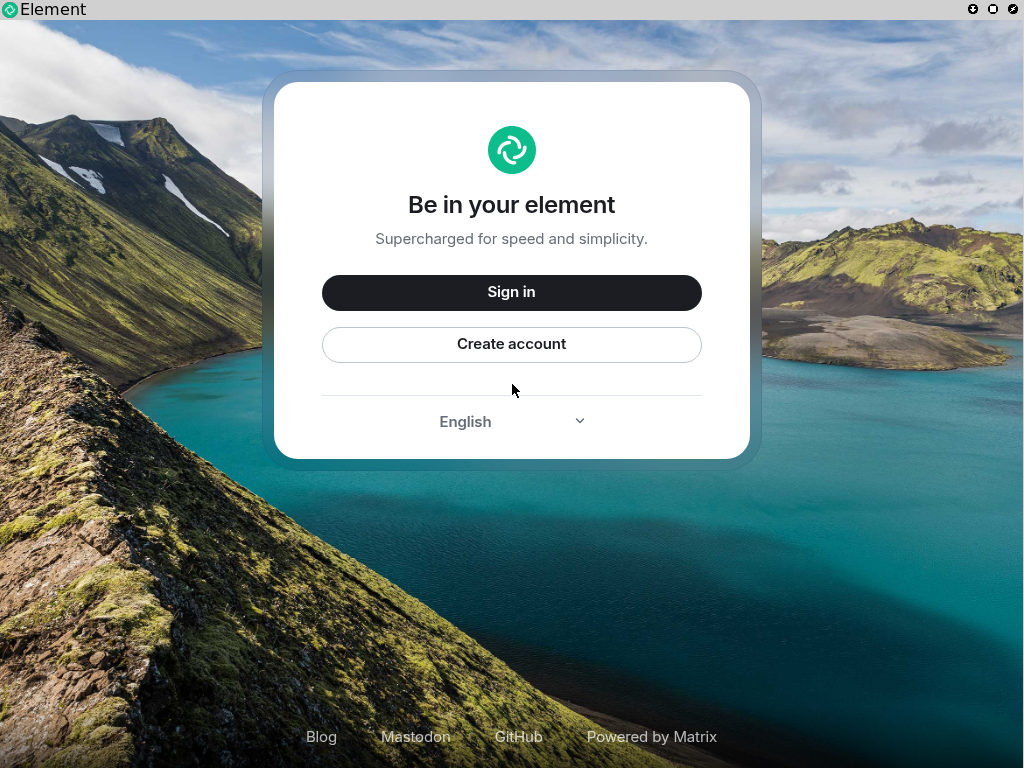
Documented gapStartup requires a working desktop secret store; the VM supplies an unlocked GNOME keyring. Messaging and calls are not tested.

PassingTested x86_64-linux

Element 1.12.29 running during its automated Omnix testTest run ↗
Package source

nixpkgs · 1.12.29 · AGPL-3.0-or-later · Website

Install
Try with Nix
nix shell nixpkgs#element-desktop
element-desktop
Verified workflow
  1. Provide an isolated unlocked GNOME keyring for the test user; launch with --password-store=gnome-libsecret
  2. Launch Element as a normal user in the Omnix X11 test session
  3. Wait for a visible application window
  4. Confirm the application remains running and capture its startup screen
  5. No external account is used; messaging, calls and mail delivery are outside this check
Validation details
Test
Omnix-Linux/Omnix/tests/apps-catalog.nixnix build github:Omnix-Linux/Omnix#checks.x86_64-linux.apps-communication
Last run
Passing on 2026-10-07Revision: Omnix-Linux/Omnix@e9960229758df5eec998d1266f90aff208e99c2dFresh Omnix X11 VM as a normal user; native package from the locked nixpkgs revision. Visible desktop startup and an active process were checked. No account sign-in, messages, calls or mail delivery were tested. The VM supplied an isolated unlocked GNOME keyring and --password-store=gnome-libsecret; screenshot shows the sign-in screen.
Test log
machine: waiting for success: DISPLAY=:0 xdotool search --onlyvisible --class element
machine: must succeed: sleep 3; systemctl is-active check-element
machine # [   32.709551] dbus-run-session[1200]: Using storage mode 'encrypted' with backend 'gnome_libsecret'
OMNIX-CATALOG-PASS element (scoped VM assertions)
test script finished in 59.08s

Automated test run in an Omnix virtual machine. View the recorded screenshot.

Section 07

Terminals

Terminal emulators and tmux, checked for shell access, keyboard input and session behavior. 6 apps · 6 passing

kitty 0.49.2

Terminal

Passing

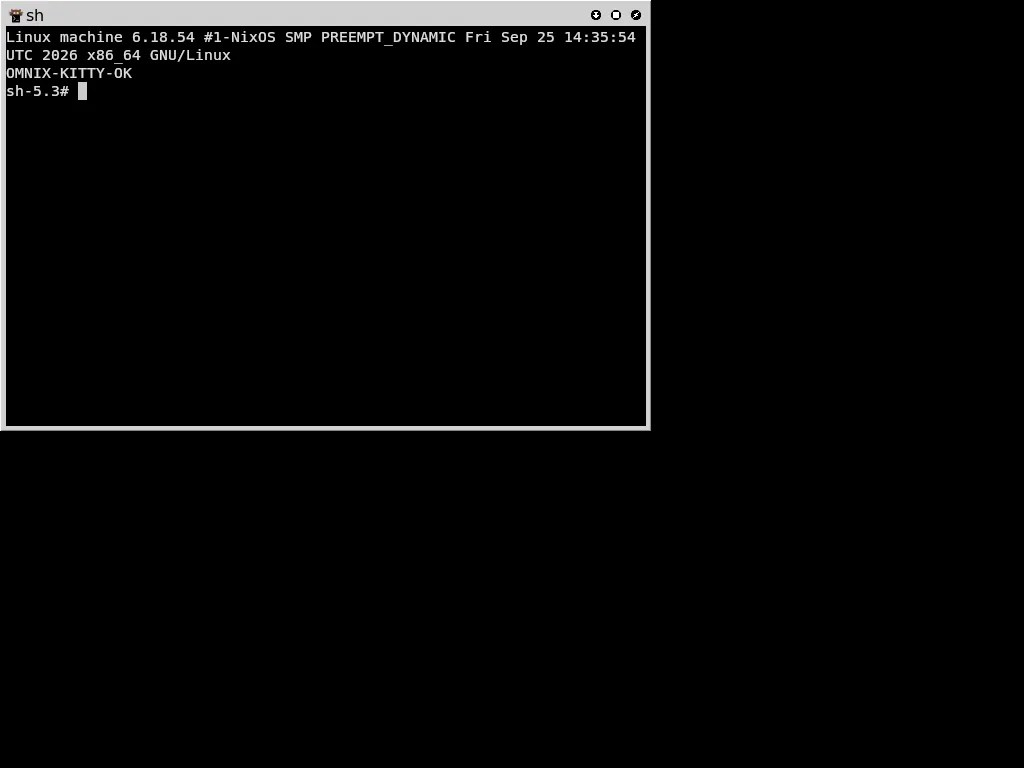
The GPU-accelerated terminal, run from its unmodified GitHub release.

PassingTested x86_64-linux

kitty 0.49.2 running during its automated Omnix testTest run ↗
Package source

GitHub release v0.49.2 · No checksums · Not attested · GPL-3.0 · Website

Install
Download from GitHub
sudo mkdir -p /opt/kitty
curl -fsSL https://github.com/kovidgoyal/kitty/releases/download/v0.49.2/kitty-0.49.2-x86_64.txz \
  | sudo tar -xJ -C /opt/kitty
/opt/kitty/bin/kitty --version
Verified workflow
  1. Fetch kitty-0.49.2-x86_64.txz from the GitHub release, pinned by sha256
  2. kitty --version reports kitty 0.49.2
  3. Check the standard X11 data paths exist: /usr/share/X11/xkb and /usr/share/X11/locale (the Omnix desktop preset provides them)
  4. Start the unmodified kitty in an X11 session through the Omnix FHS layer; OpenGL 4.6 (Mesa llvmpipe) loads
  5. It opens a window and runs a shell (uname -a)
  6. Take a screenshot
Validation details
Test
Omnix-Linux/Omnix/tests/apps-desktop.nixnix build github:Omnix-Linux/Omnix#checks.x86_64-linux.app-kitty
Last run
Passing on 2026-10-06Revision: Omnix-Linux/Omnix@3f1ce17Fresh NixOS VM run of the unmodified kitty. It used to exit at startup because /usr/share/X11/xkb was missing; the Omnix desktop preset now provides /usr/share/X11/xkb and /usr/share/X11/locale (Omnix-Linux/Omnix#6, fixing #4), with no workaround in the test.
Test log
must succeed: test -e /usr/share/X11/xkb/rules/evdev
must succeed: test -d /usr/share/X11/locale/en_US.UTF-8
kitty 0.49.2 opened a window and ran uname -a (OMNIX-KITTY-OK)
test script finished in 39.77s

Automated test run in an Omnix virtual machine. View the recorded screenshot.
tmux 3.7c

Terminal multiplexer

Passing

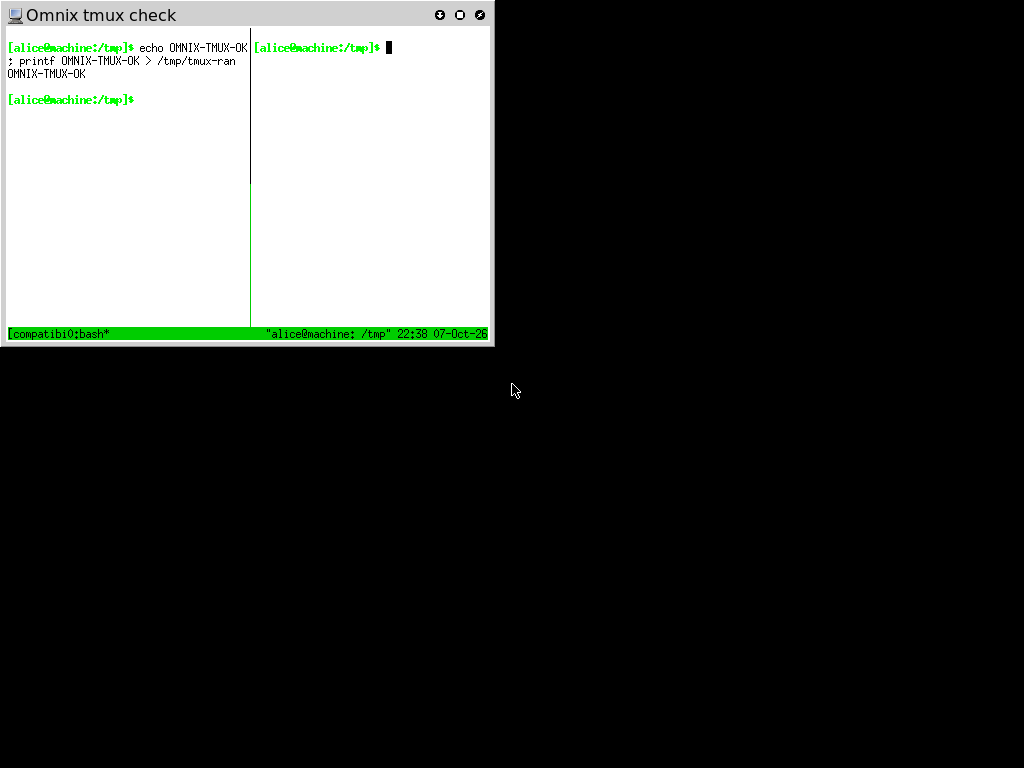
Persistent terminal sessions with multiple panes. Tested for shell commands, split panes, attachment and detachment.

PassingTested x86_64-linux

tmux 3.7c running during its automated Omnix testTest run ↗
Package source

nixpkgs · 3.7c · BSD-3-Clause · Website

Install
Try with Nix
nix shell nixpkgs#tmux
tmux
Verified workflow
  1. Report the installed tmux version
  2. Create an isolated detached tmux session as a normal user
  3. Send a shell command and verify its output marker
  4. Split the session into two panes
  5. Attach through xterm, capture a screenshot, detach and confirm the session survives
Validation details
Test
Omnix-Linux/Omnix/tests/apps-catalog.nixnix build github:Omnix-Linux/Omnix#checks.x86_64-linux.apps-terminals
Last run
Passing on 2026-10-07Revision: Omnix-Linux/Omnix@e9960229758df5eec998d1266f90aff208e99c2dFresh Omnix X11 VM: tmux created a two-pane session, accepted shell input, attached through xterm, and retained the session after detachment. Native package from the locked nixpkgs revision.
Test log
machine: waiting for success: grep -q OMNIX-TMUX-OK /tmp/tmux-ran
machine: waiting for success: runuser -u alice -- tmux -L omnix-test -f /dev/null list-clients | grep -q compatibility
machine: must succeed: runuser -u alice -- tmux -L omnix-test -f /dev/null has-session -t compatibility
OMNIX-CATALOG-PASS tmux (scoped VM assertions)
test script finished in 53.67s

Automated test run in an Omnix virtual machine. View the recorded screenshot.

WezTerm (2026-09-17)

Terminal emulator

Passing

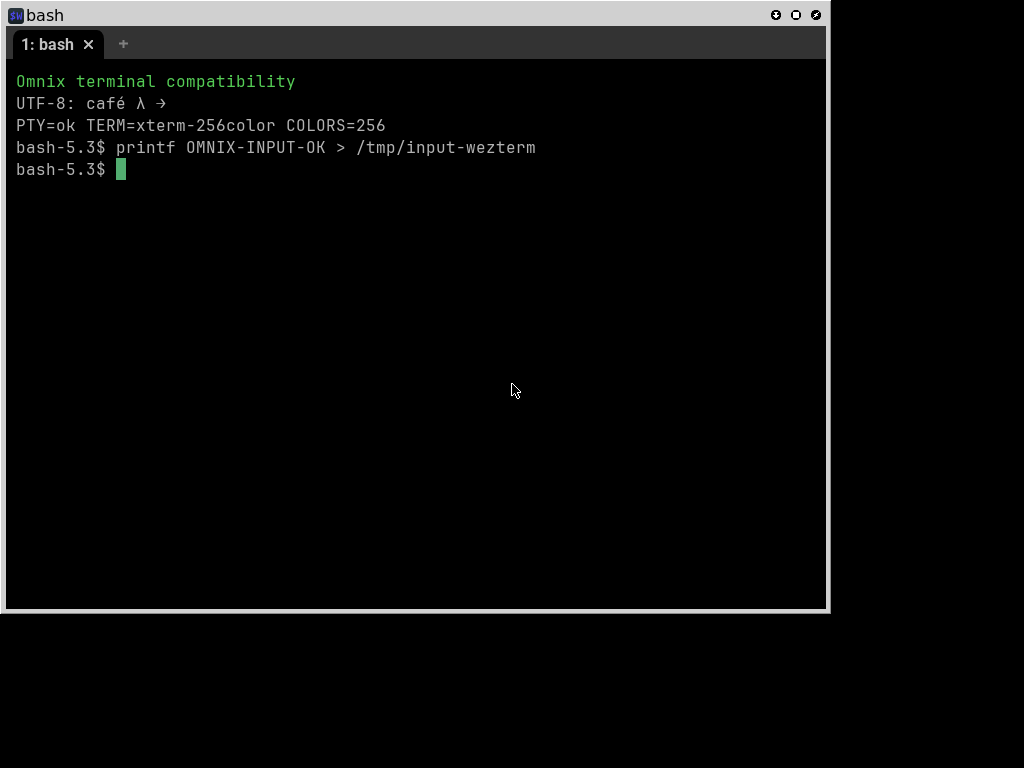
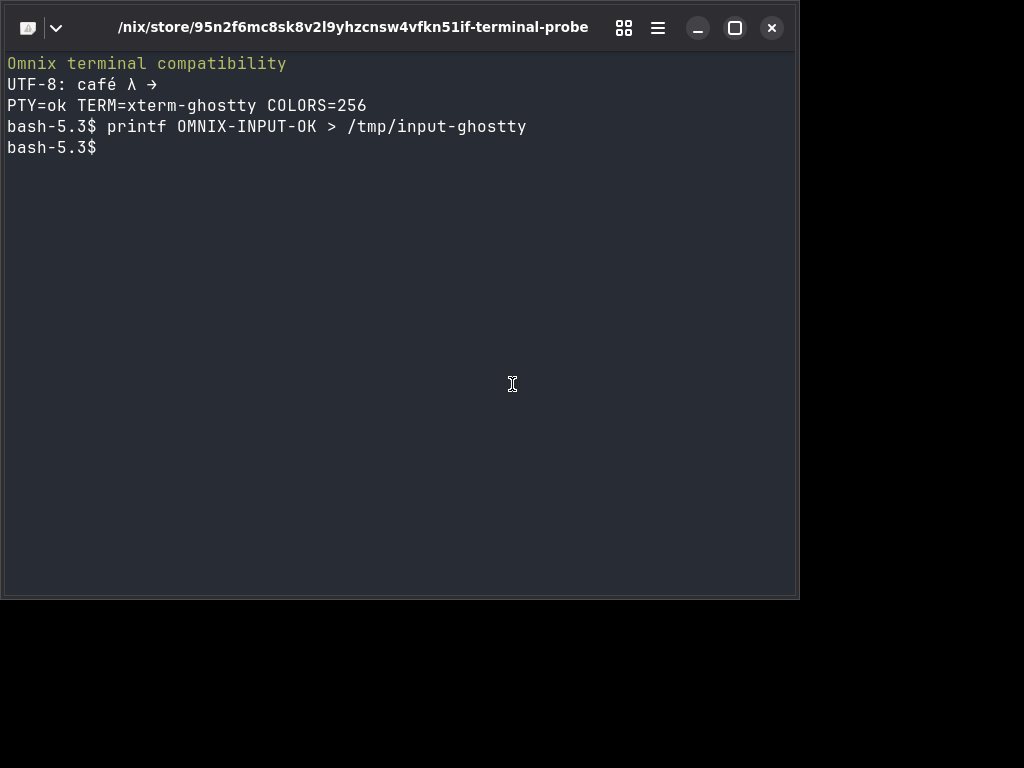
A GPU-accelerated terminal with tabs and multiplexing. The test checks an interactive shell, PTY, terminfo and typed commands.

PassingTested x86_64-linux

WezTerm (2026-09-17) running during its automated Omnix testTest run ↗
Package source

nixpkgs · 0-unstable-2026-09-17 · MIT · Website

Install
Try with Nix
nix shell nixpkgs#wezterm
wezterm
Verified workflow
  1. Report the installed WezTerm version
  2. Launch WezTerm in an X11 session as a normal user
  3. Verify the shell has a PTY on stdin/stdout, a TERM value and working color terminfo
  4. Type a shell command into the window and verify its output marker
  5. Confirm the application remains running and capture a screenshot
Validation details
Test
Omnix-Linux/Omnix/tests/apps-catalog.nixnix build github:Omnix-Linux/Omnix#checks.x86_64-linux.apps-terminals
Last run
Passing on 2026-10-07Revision: Omnix-Linux/Omnix@e9960229758df5eec998d1266f90aff208e99c2dFresh Omnix X11 VM with the desktop library preset; native packages from the locked nixpkgs revision. Shell, PTY, terminfo and keyboard input passed.
Test log
machine: must succeed: cat /tmp/terminal-wezterm-ready
machine: waiting for success: grep -q OMNIX-INPUT-OK /tmp/input-wezterm
OMNIX-CATALOG-PASS wezterm (scoped VM assertions)
test script finished in 53.67s

Automated test run in an Omnix virtual machine. View the recorded screenshot.

Alacritty 0.17.0

Terminal emulator

Passing

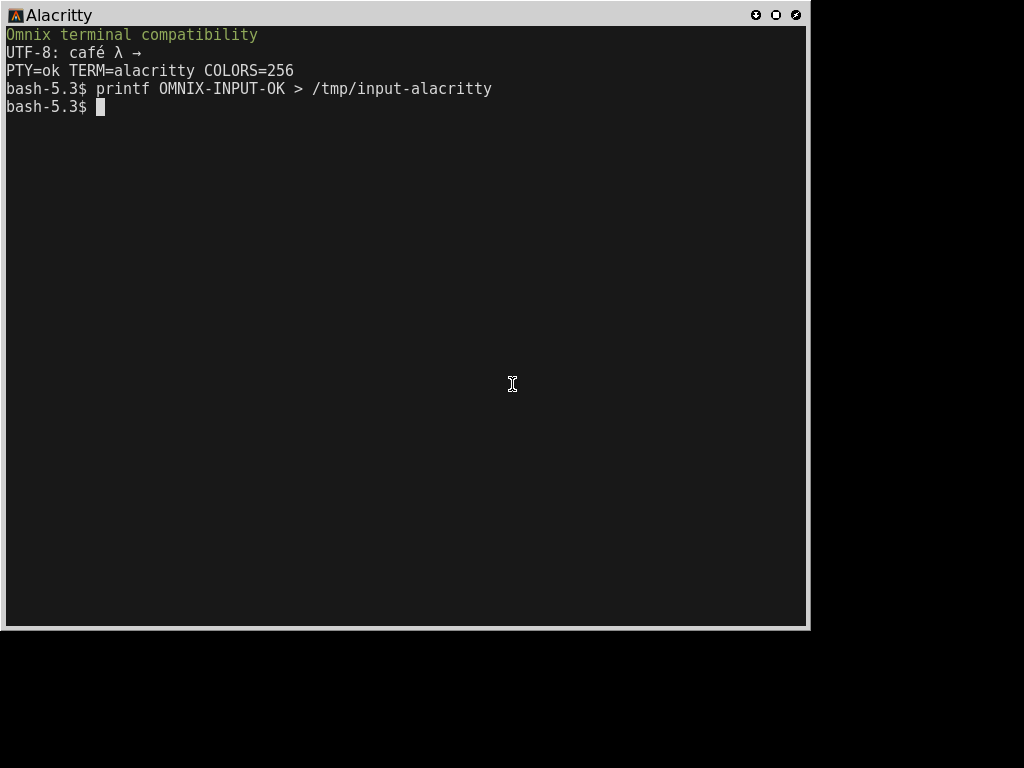
An OpenGL terminal emulator. Tested for an interactive shell, PTY, terminfo and typed commands.

PassingTested x86_64-linux

Alacritty 0.17.0 running during its automated Omnix testTest run ↗
Package source

nixpkgs · 0.17.0 · Apache-2.0 · Website

Install
Try with Nix
nix shell nixpkgs#alacritty
alacritty
Verified workflow
  1. Report the installed Alacritty version
  2. Launch Alacritty in an X11 session as a normal user
  3. Verify the shell has a PTY on stdin/stdout, a TERM value and working color terminfo
  4. Type a shell command into the window and verify its output marker
  5. Confirm the application remains running and capture a screenshot
Validation details
Test
Omnix-Linux/Omnix/tests/apps-catalog.nixnix build github:Omnix-Linux/Omnix#checks.x86_64-linux.apps-terminals
Last run
Passing on 2026-10-07Revision: Omnix-Linux/Omnix@e9960229758df5eec998d1266f90aff208e99c2dFresh Omnix X11 VM with the desktop library preset; native packages from the locked nixpkgs revision. Shell, PTY, terminfo and keyboard input passed.
Test log
machine: must succeed: cat /tmp/terminal-alacritty-ready
machine: waiting for success: grep -q OMNIX-INPUT-OK /tmp/input-alacritty
OMNIX-CATALOG-PASS alacritty (scoped VM assertions)
test script finished in 53.67s

Automated test run in an Omnix virtual machine. View the recorded screenshot.

Ghostty 1.3.1

Terminal emulator

Passing

A native Linux terminal with a GTK interface. Tested for an interactive shell, PTY, terminfo and typed commands.

PassingTested x86_64-linux

Ghostty 1.3.1 running during its automated Omnix testTest run ↗
Package source

nixpkgs · 1.3.1 · MIT · Website

Install
Try with Nix
nix shell nixpkgs#ghostty
ghostty
Verified workflow
  1. Report the installed Ghostty version
  2. Launch Ghostty in an X11 session as a normal user
  3. Verify the shell has a PTY on stdin/stdout, a TERM value and working color terminfo
  4. Type a shell command into the window and verify its output marker
  5. Confirm the application remains running and capture a screenshot
Validation details
Test
Omnix-Linux/Omnix/tests/apps-catalog.nixnix build github:Omnix-Linux/Omnix#checks.x86_64-linux.apps-terminals
Last run
Passing on 2026-10-07Revision: Omnix-Linux/Omnix@e9960229758df5eec998d1266f90aff208e99c2dFresh Omnix X11 VM with the desktop library preset; native packages from the locked nixpkgs revision. Shell, PTY, terminfo and keyboard input passed.
Test log
machine: must succeed: cat /tmp/terminal-ghostty-ready
machine: waiting for success: grep -q OMNIX-INPUT-OK /tmp/input-ghostty
OMNIX-CATALOG-PASS ghostty (scoped VM assertions)
test script finished in 53.67s

Automated test run in an Omnix virtual machine. View the recorded screenshot.

xterm 411

X11 terminal

Passing

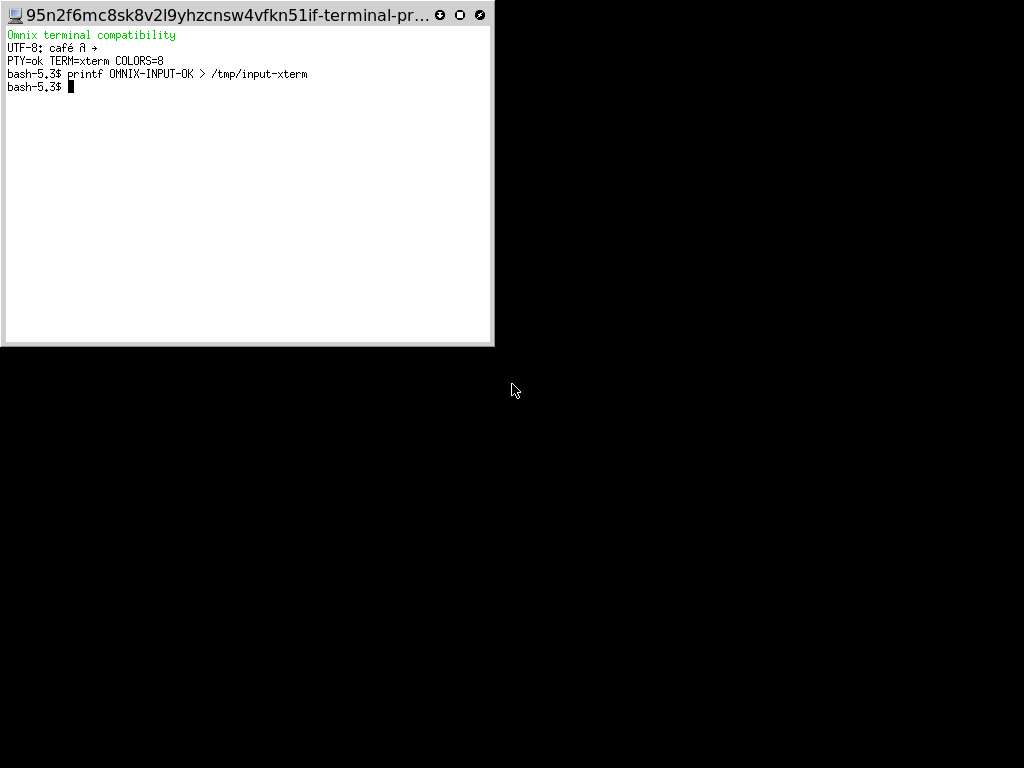
The X Window System terminal. Tested for an interactive shell, PTY, terminfo and typed commands.

PassingTested x86_64-linux

xterm 411 running during its automated Omnix testTest run ↗
Package source

nixpkgs · 411 · MIT · Website

Install
Try with Nix
nix shell nixpkgs#xterm
xterm
Verified workflow
  1. Report the installed xterm version
  2. Launch xterm in an X11 session as a normal user
  3. Verify the shell has a PTY on stdin/stdout, a TERM value and working color terminfo
  4. Type a shell command into the window and verify its output marker
  5. Confirm the application remains running and capture a screenshot
Validation details
Test
Omnix-Linux/Omnix/tests/apps-catalog.nixnix build github:Omnix-Linux/Omnix#checks.x86_64-linux.apps-terminals
Last run
Passing on 2026-10-07Revision: Omnix-Linux/Omnix@e9960229758df5eec998d1266f90aff208e99c2dFresh Omnix X11 VM with the desktop library preset; native packages from the locked nixpkgs revision. Shell, PTY, terminfo and keyboard input passed.
Test log
machine: must succeed: cat /tmp/terminal-xterm-ready
machine: waiting for success: grep -q OMNIX-INPUT-OK /tmp/input-xterm
OMNIX-CATALOG-PASS xterm (scoped VM assertions)
test script finished in 53.67s

Automated test run in an Omnix virtual machine. View the recorded screenshot.

Section 08

Developer tools

Language runtimes, straight from upstream. 2 apps · 1 passing · 1 patched

Node.js 22.12

JavaScript runtime

Passing

The official linux-x64 tarball from nodejs.org, unpacked and run as shipped.

PassingTested x86_64-linux

Package source

No package source recorded.

Install
Download and unpack
sudo mkdir -p /opt/node
curl -fsSL https://nodejs.org/dist/v22.12.0/node-v22.12.0-linux-x64.tar.xz \
  | sudo tar -xJ -C /opt/node --strip-components=1
/opt/node/bin/node --version
Verified workflow
  1. Unpack the official node-v22.12.0-linux-x64.tar.xz into /opt/node
  2. /opt/node/bin/node -e 'require("zlib").gzipSync("x")'
  3. systemd-run --wait --pipe /opt/node/bin/node -e 'console.log(1)' (a service without nix-ld's session variables)
Validation details
Test
Omnix-Linux/Omnix/tests/fhs.nixnix build github:Omnix-Linux/Omnix#checks.x86_64-linux.fhs
Last run
Passing on 2026-10-06Revision: Omnix-Linux/Omnix@3f1ce17Fresh NixOS VM run (nix build .#checks.x86_64-linux.fhs --rebuild); test script finished in 29.3 s.
Test log
must succeed: /opt/node/bin/node -e 'require("zlib").gzipSync("x")'
must succeed: systemd-run --wait --pipe /opt/node/bin/node -e 'console.log(1)'  (0.29 s)
test script finished in 28.14s

Python 3.12.8

Python runtime

Patched

astral-sh's python-build-standalone build, unpacked and run as shipped.

PatchedTested x86_64-linux

Package source

No package source recorded.

Install
Download and unpack
sudo mkdir -p /opt/python
curl -fsSL https://github.com/astral-sh/python-build-standalone/releases/download/20241206/cpython-3.12.8%2B20241206-x86_64-unknown-linux-gnu-install_only.tar.gz \
  | sudo tar -xz -C /opt/python --strip-components=1
/opt/python/bin/python3 --version
Verified workflow
  1. Unpack cpython-3.12.8+20241206-x86_64-unknown-linux-gnu-install_only.tar.gz into /opt/python
  2. /opt/python/bin/python3 -c 'import ssl, sqlite3, ctypes'
  3. ctypes.util.find_library("z") resolves through ldconfig
  4. python3 -c 'import zoneinfo; zoneinfo.ZoneInfo("Europe/Moscow")'
  5. Run a script through #!/usr/bin/python3 with this interpreter on PATH: it prints 1 (needs Omnix's envfs readlink fix)
Validation details
Test
Omnix-Linux/Omnix/tests/fhs.nixnix build github:Omnix-Linux/Omnix#checks.x86_64-linux.fhs
Last run
Patched on 2026-10-06Revision: Omnix-Linux/Omnix@3f1ce17Fresh NixOS VM run on Omnix with its own envfs fix (proposed upstream as Mic92/envfs#233, shipped in the Omnix base by Omnix-Linux/Omnix#5). Stock envfs doesn't resolve names on readlink, so #!/usr/bin/python3 failed for this relocatable interpreter; with Omnix's envfs it runs.
Test log
must succeed: /opt/python/bin/python3 -c 'import ctypes.util as c; assert c.find_library("z")'
must succeed: /opt/python/bin/python3 -c 'import zoneinfo; zoneinfo.ZoneInfo("Europe/Moscow")'
must succeed: PATH=/opt/python/bin:$PATH /tmp/s.py | grep -qx 1
test script finished in 28.14s
Section 09

Desktops

The desktop sessions Omnix ships, each booted to a real session. 2 apps · 2 passing

KDE Plasma - Atrium

Desktop

Passing

Omnix's KDE Plasma desktop, booted to a real Plasma Wayland session.

PassingTested x86_64-linux

Package source

No package source recorded.

Install
flake.nix
inputs.omnix.url = "github:Omnix-Linux/Omnix";
inputs.atrium.url = "github:Omnix-Linux/Atrium";

# in your nixosConfiguration:
modules = [
  omnix.nixosModules.default
  atrium.nixosModules.default
];
Verified workflow
  1. Boot to the display manager and auto-login a new user
  2. plasmashell and kwin_wayland start for that user
  3. Distribution defaults reach the user: Atrium look-and-feel, key repeat delay 250, per-screen virtual desktops
  4. GTK libraries are present (/usr/lib/libgtk-3.so.0)
  5. Take a screenshot of the session
Validation details
Test
Omnix-Linux/Atrium/tests/desktop.nixnix build github:Omnix-Linux/Atrium#checks.x86_64-linux.desktop
Last run
Passing on 2026-10-06Revision: Omnix-Linux/Atrium@be855d4Fresh NixOS VM run (nix build .#checks.x86_64-linux.desktop); plasmashell up 32 s after boot; test script finished in 72.3 s.
Test log
waiting for success: pgrep -u alice plasmashell  (31.90 s)
must succeed: su - alice -c 'kreadconfig6 --file kwinrc --group Windows --key PerOutputVirtualDesktops'
must succeed: test -e /usr/lib/libgtk-3.so.0
test script finished in 72.29s

Hyprland - Omarchy (stable)

Desktop

Passing

Omarchy's own Hyprland config, themes and scripts on the Omnix base, pinned to a stable release.

PassingTested x86_64-linux

Package source

No package source recorded.

Install
flake.nix
inputs.omnix.url = "github:Omnix-Linux/Omnix";
inputs.autarchy.url = "github:Omnix-Linux/Autarchy";

# in your nixosConfiguration:
modules = [
  omnix.nixosModules.default
  autarchy.nixosModules.stable
];
Verified workflow
  1. Boot to the display manager and auto-login a new user
  2. The user's config is seeded from Omarchy's templates (~/.config/hypr/hyprland.lua, omarchy-theme-set on PATH)
  3. Hyprland starts on Omarchy's Lua config and opens its instance socket
  4. hyprctl version
  5. Omarchy's autostart runs: omarchy-hyprland-monitor-watch
  6. Take a screenshot of the session
Validation details
Test
Omnix-Linux/Autarchy/tests/session.nixnix build github:Omnix-Linux/Autarchy#checks.x86_64-linux.stable
Last run
Passing on 2026-10-06Revision: Omnix-Linux/Autarchy@17a5bafFresh NixOS VM run (nix build .#checks.x86_64-linux.stable); Hyprland 0.56.2 running Omarchy v4.0.4's config; test script finished in 70.9 s.
Test log
must succeed: grep -q OMARCHY_PATH /home/alice/.config/hypr/hyprland.lua
must succeed: su - alice -c 'command -v omarchy-theme-set'
hyprctl version: Hyprland 0.56.2 built from branch v0.56.2-b
test script finished in 70.94s
Principles

How an app earns its place

  1. Tested, not claimed

    An app is listed for the workflow a test runs, not for a line in a feature list.
  2. Every status links to a test

    Passing, patched, known gap and failing all point at the NixOS test file and the commit it ran against. The page build refuses a status without one.

  3. Re-run after every update

    When Omnix, nixpkgs or the app changes, an agent re-runs the test and records the new result, so you can see whether a workflow that worked yesterday still works after the upgrade.

  4. Rollback when an update breaks one

    A failing workflow is a reason to stay on, or boot back to, the previous generation until it is fixed.

  5. Agent-maintained

    An agent adds an app by writing a test and a registry entry, running it, and recording the result. No hand-edited badges.

  6. No special packaging

    Apps run as unmodified upstream binaries through the Omnix standard filesystem layer: /lib64, /usr/lib, ldconfig and envfs.